> ## Documentation Index
> Fetch the complete documentation index at: https://docs.agentvault.io/llms.txt
> Use this file to discover all available pages before exploring further.
# Activity
> See what your agents filled, where, what was refused and why, from a record your agents cannot edit.
Check what your agent actually did, from Agent Vault's own record rather than
the agent's account of itself. In the sidebar, under **Workspace**, click
**Activity**.
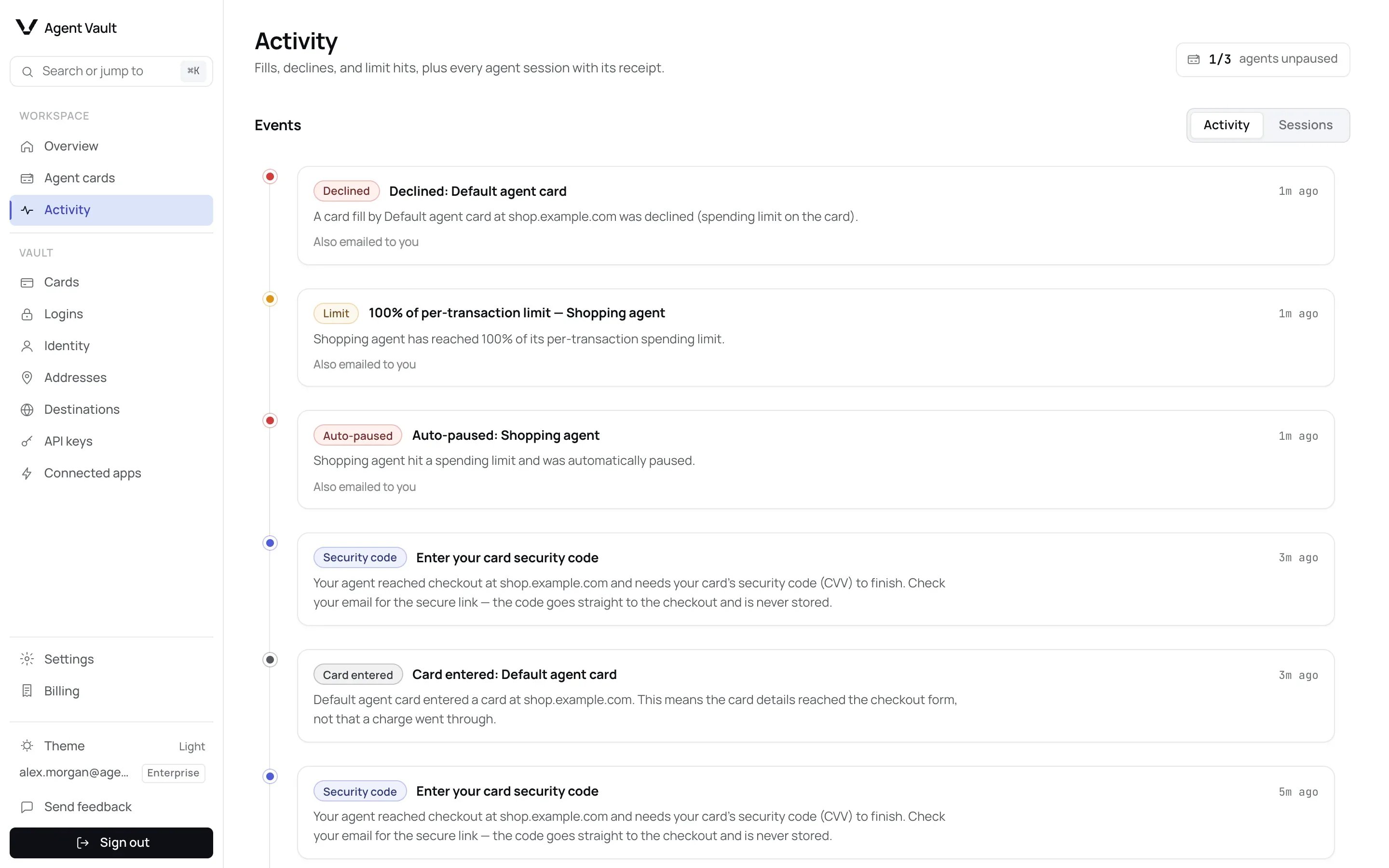
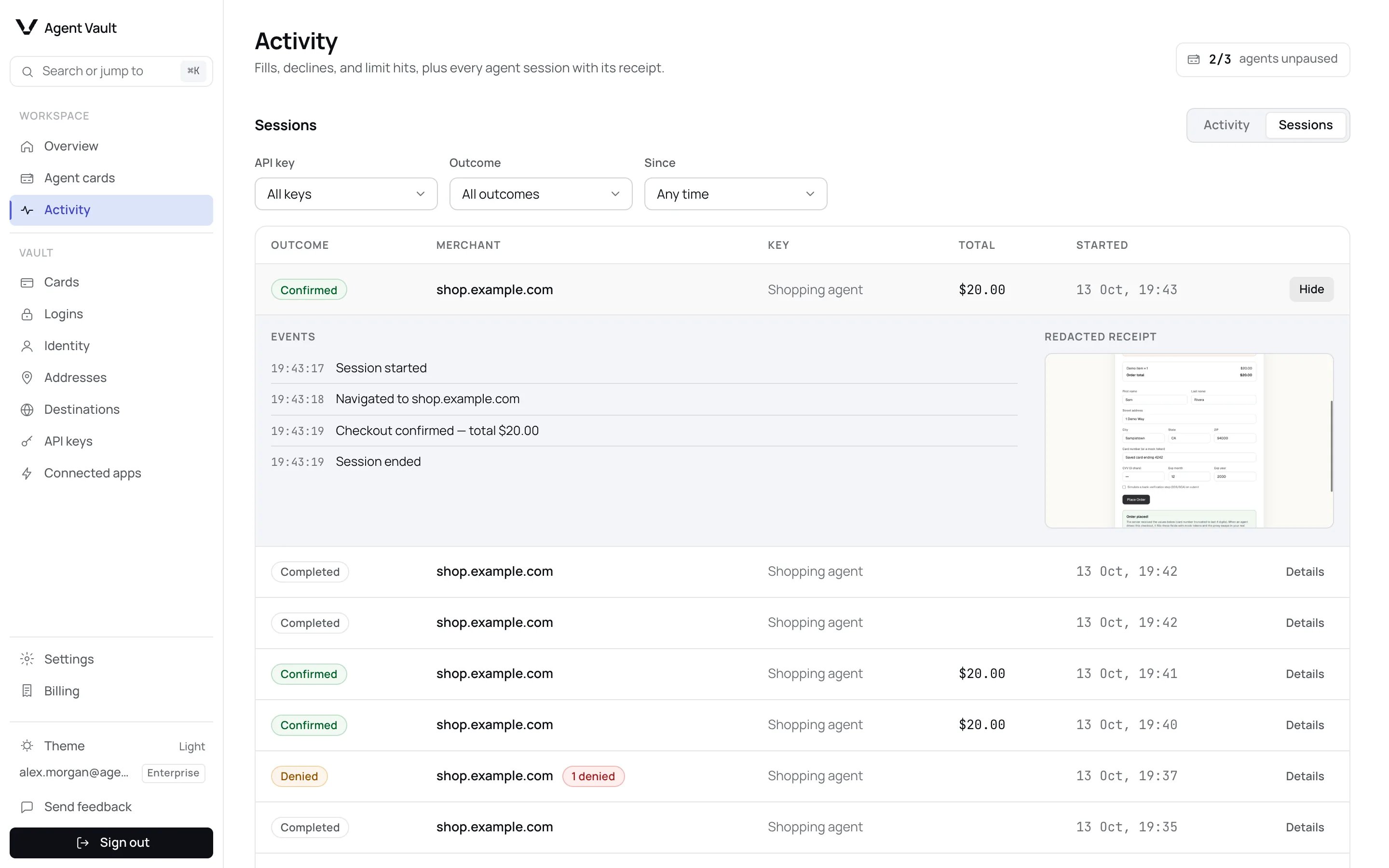
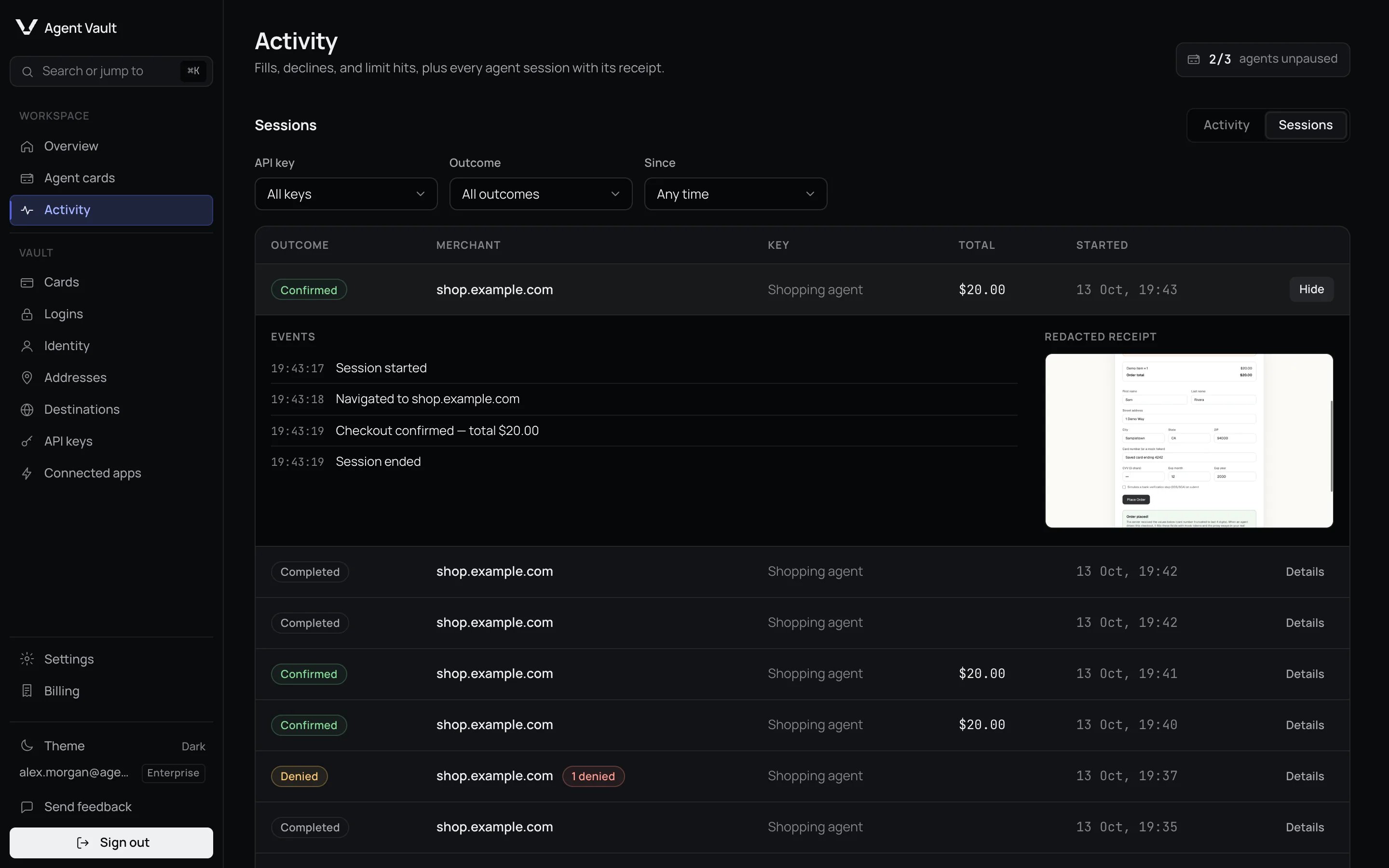
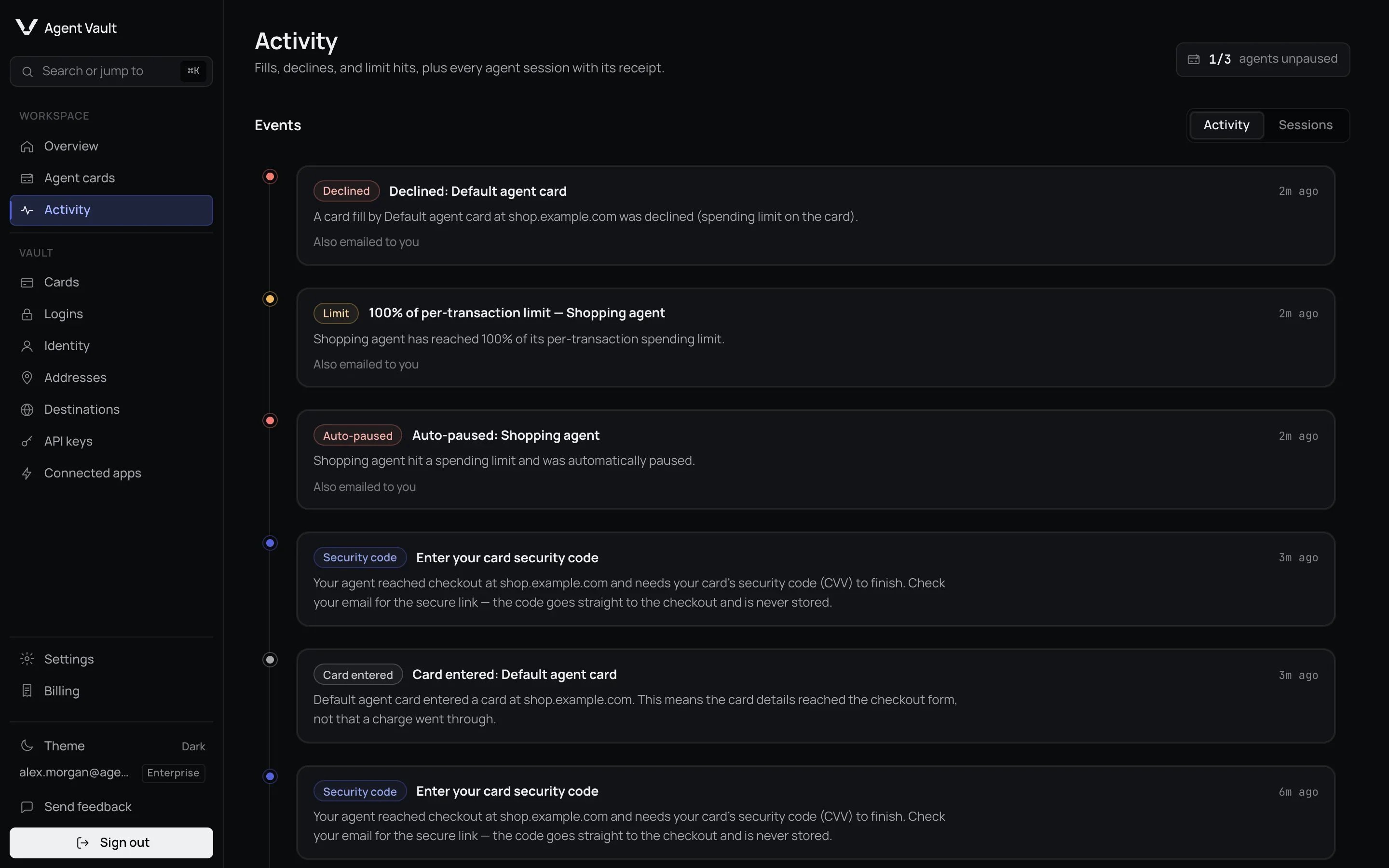 The page has two tabs. **Activity** is a live feed of your latest 100 events.
**Sessions** lists each agent visit to a site, step by step. No card number,
security code, password or filled value is ever written into either. Login
events do record the email address and username of a login an agent requested
or created, so those identifiers appear in the feed. Both are
best effort: an event that fails to save is dropped, not retried, so a gap is
possible. Your card statement is the record of what was charged.
## The Activity tab
Each event has a label. The common ones:
| Label | What happened |
| - | - |
| **Card entered** | A card number was filled into a checkout |
| **Declined** or **Limit** | A fill was refused, or refused by a spending limit |
| **Approval needed**, **Security code** or **Verification** | A checkout is waiting for you |
| **Connected** or **Key revoked** | An API key connected for the first time, or was revoked |
| **Login changed** or **2FA stored** | An agent created or changed a login, or stored a two-factor secret |
You may also see **Auto-paused** (an agent card paused itself after a limit),
**Traffic warning** (a session's traffic did not use your own connection) and
**Residential exit** (which residential connection a session went out through).
Under
each event, a line says whether it was **Also emailed to you**, **Email queued**
or **Email could not be delivered**.
### Residential exit
Where Agent Vault sends a session out through a residential connection instead
of your own, the session ends with one **Residential exit** row, titled
**Residential exit used**. It is a record, shown in a neutral colour, not a
warning. It says:
* The country the exit was in, which is where sites saw the session come from.
* How much the session carried, sent and received.
* How many checkouts from the isolated environment that handles your card went
out the same way, when there were any.
* Whether the provider stopped carrying the session before it ended.
It never shows an IP address: the provider picks it, and Agent Vault never
learns it. The row is recorded for every such session that reached a site,
whatever your notification settings. The **Which residential exit my agent's
session used** switch only decides whether you are also emailed and notified
on the desktop, and it is off by default. See
[Events](/dashboard/approvals-and-notifications#events).
## Find and open a session
The page has two tabs. **Activity** is a live feed of your latest 100 events.
**Sessions** lists each agent visit to a site, step by step. No card number,
security code, password or filled value is ever written into either. Login
events do record the email address and username of a login an agent requested
or created, so those identifiers appear in the feed. Both are
best effort: an event that fails to save is dropped, not retried, so a gap is
possible. Your card statement is the record of what was charged.
## The Activity tab
Each event has a label. The common ones:
| Label | What happened |
| - | - |
| **Card entered** | A card number was filled into a checkout |
| **Declined** or **Limit** | A fill was refused, or refused by a spending limit |
| **Approval needed**, **Security code** or **Verification** | A checkout is waiting for you |
| **Connected** or **Key revoked** | An API key connected for the first time, or was revoked |
| **Login changed** or **2FA stored** | An agent created or changed a login, or stored a two-factor secret |
You may also see **Auto-paused** (an agent card paused itself after a limit),
**Traffic warning** (a session's traffic did not use your own connection) and
**Residential exit** (which residential connection a session went out through).
Under
each event, a line says whether it was **Also emailed to you**, **Email queued**
or **Email could not be delivered**.
### Residential exit
Where Agent Vault sends a session out through a residential connection instead
of your own, the session ends with one **Residential exit** row, titled
**Residential exit used**. It is a record, shown in a neutral colour, not a
warning. It says:
* The country the exit was in, which is where sites saw the session come from.
* How much the session carried, sent and received.
* How many checkouts from the isolated environment that handles your card went
out the same way, when there were any.
* Whether the provider stopped carrying the session before it ended.
It never shows an IP address: the provider picks it, and Agent Vault never
learns it. The row is recorded for every such session that reached a site,
whatever your notification settings. The **Which residential exit my agent's
session used** switch only decides whether you are also emailed and notified
on the desktop, and it is off by default. See
[Events](/dashboard/approvals-and-notifications#events).
## Find and open a session
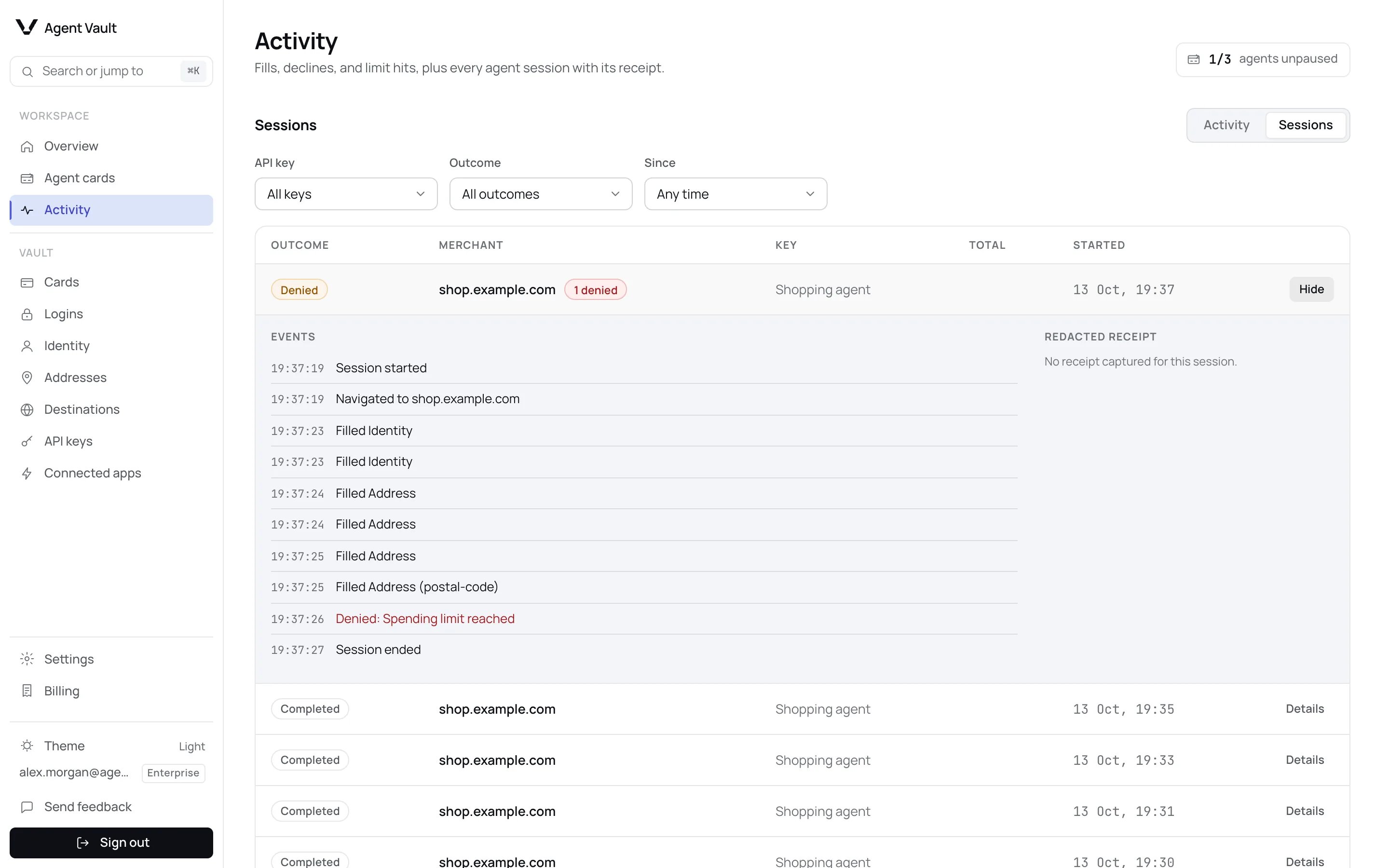
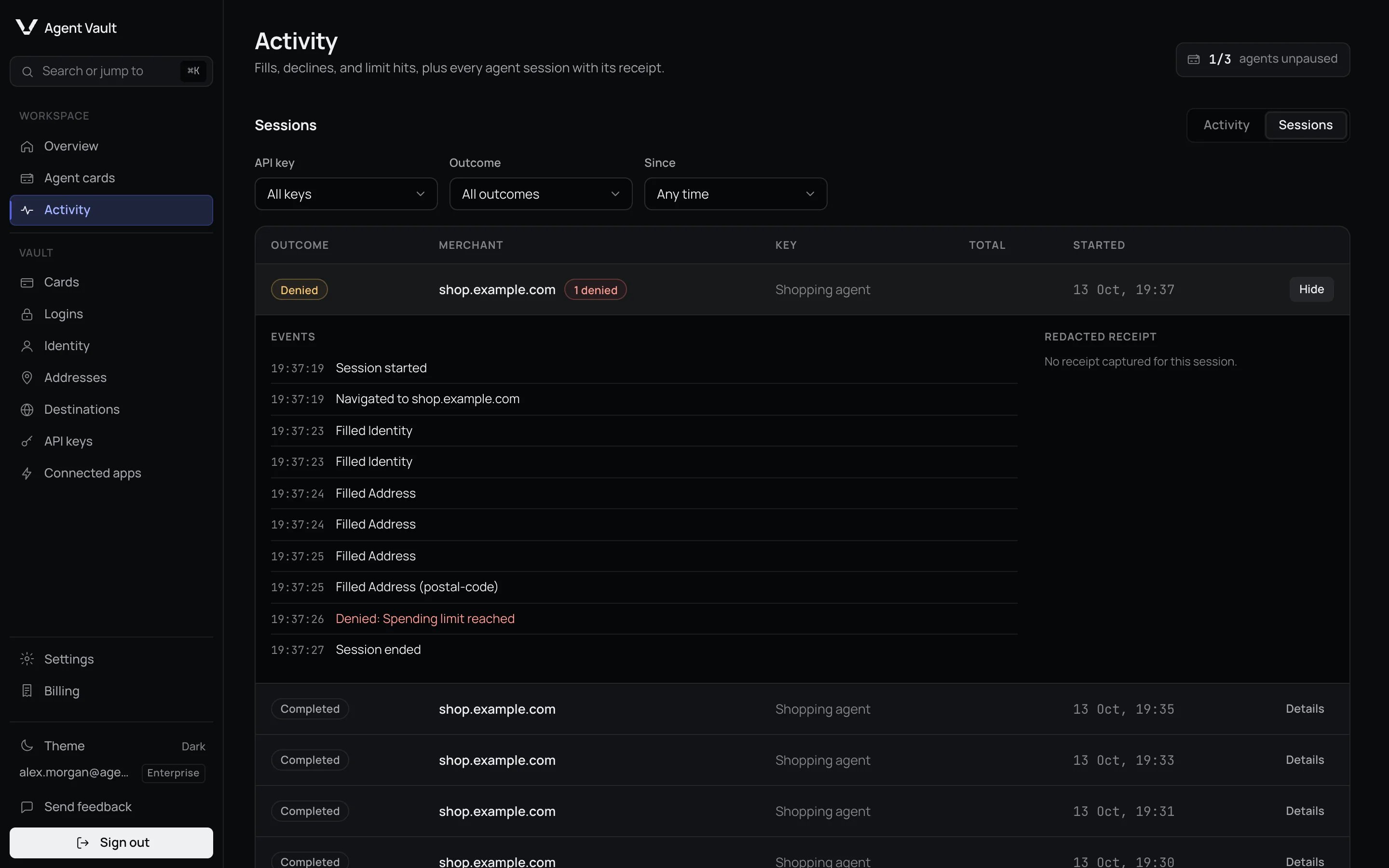 Each row shows the **Outcome**, the **Merchant** site, the **Key**, the
**Total** and when it **Started**.
Use the outcome, time and key filters at the top. The defaults are **All
outcomes**, **Any time** and **All keys**.
The session's events appear in order, with its **Redacted receipt** if one
was kept. Click **Hide** to close it.
| Outcome | Meaning |
| - | - |
| **Confirmed** | A checkout confirmation was recorded. The MCP server checks the page first. An SDK agent records it on its own word, so confirm with the merchant |
| **Denied** | At least one fill was refused |
| **Card entered** | The session ended after the agent filled a card number into a checkout form, with no recorded confirmation. The fill may not have completed, and whether an order was placed is not known, so check with the merchant |
| **Completed** | The session ended normally without entering a card, with no recorded confirmation |
| **Active** | Still running |
| **Error** | Ended with an error |
Inside a session, **Filled** names the kind of detail, such as **Card number**,
and the form field, never the value. **Navigated to** shows only the site name.
## Why a fill was refused
A **Denied** event in a session, and a **Declined** entry in the feed, name the
reason in plain words. Your agent only gets a short code, so this page is the
only place the full reason is shown.
Each row shows the **Outcome**, the **Merchant** site, the **Key**, the
**Total** and when it **Started**.
Use the outcome, time and key filters at the top. The defaults are **All
outcomes**, **Any time** and **All keys**.
The session's events appear in order, with its **Redacted receipt** if one
was kept. Click **Hide** to close it.
| Outcome | Meaning |
| - | - |
| **Confirmed** | A checkout confirmation was recorded. The MCP server checks the page first. An SDK agent records it on its own word, so confirm with the merchant |
| **Denied** | At least one fill was refused |
| **Card entered** | The session ended after the agent filled a card number into a checkout form, with no recorded confirmation. The fill may not have completed, and whether an order was placed is not known, so check with the merchant |
| **Completed** | The session ended normally without entering a card, with no recorded confirmation |
| **Active** | Still running |
| **Error** | Ended with an error |
Inside a session, **Filled** names the kind of detail, such as **Card number**,
and the form field, never the value. **Navigated to** shows only the site name.
## Why a fill was refused
A **Denied** event in a session, and a **Declined** entry in the feed, name the
reason in plain words. Your agent only gets a short code, so this page is the
only place the full reason is shown.

 | Shown as | Where to fix it |
| - | - |
| **Spending limit reached** | [Spending limits](/dashboard/agent-cards#spending-limits) |
| **Order total unknown** | Not a limit. The agent may need a [page hint](/guides/page-hints) |
| **Merchant blocked** | [Merchant restrictions](/dashboard/agent-cards#merchant-restrictions) |
| **Card paused** or **All agents paused** | [Pause and resume](/dashboard/agent-cards#pause-and-resume), or the [kill switch](/dashboard/overview#stop-every-agent-at-once) |
| **Site not authorized** | [Destinations](/dashboard/destinations) |
| **Login locked to its site** | [Logins](/dashboard/logins) |
| **Outside key scope** | [API keys](/dashboard/api-keys#change-a-keys-access) |
| **Plan limit reached** | [Billing](/dashboard/billing#when-a-plan-limit-is-reached) |
| **Total rose after the card was filled** | Check the order with the merchant |
Look for **Filled Card number** first: if it is there, the number reached the
merchant's form. If it is missing, that does not prove the number was not
filled, because recording is best effort. For an MCP session, **Confirmed** is good evidence of success, because the MCP
server checks the page before recording it. For an SDK session it is only the
agent's own `recordOutcome()` call, which checks nothing, so treat it as the
agent's claim. Its absence does not prove the order failed.
For a definite answer, check the merchant's emailed receipt.
## Spend is fill intent
Amounts here, on [Overview](/dashboard/overview) and on each
[agent card](/dashboard/agent-cards#spend-counts-when-the-card-is-filled) count **card fills**, not charges.
A fill counts the moment the number is typed, even if the order is never placed,
and it is not reversed automatically. Reconcile against your card statement.
Overview and agent cards count only fills on a funding card an agent card
controlled at the time. A fill on a card marked **No limits** shows here as
**Card entered** and is left out of those totals.
## Receipts
A session can keep a redacted screenshot of the merchant's confirmation page.
Most checkouts show **No receipt captured for this session**, and that is
expected: a receipt is kept only when Agent Vault filled no saved detail in the
session. A one-click checkout with a card already saved at the merchant can get
one, but capture is best effort: a screenshot that fails, an image too large to
store, or a failed save leaves the session with no receipt.
| Shown as | Where to fix it |
| - | - |
| **Spending limit reached** | [Spending limits](/dashboard/agent-cards#spending-limits) |
| **Order total unknown** | Not a limit. The agent may need a [page hint](/guides/page-hints) |
| **Merchant blocked** | [Merchant restrictions](/dashboard/agent-cards#merchant-restrictions) |
| **Card paused** or **All agents paused** | [Pause and resume](/dashboard/agent-cards#pause-and-resume), or the [kill switch](/dashboard/overview#stop-every-agent-at-once) |
| **Site not authorized** | [Destinations](/dashboard/destinations) |
| **Login locked to its site** | [Logins](/dashboard/logins) |
| **Outside key scope** | [API keys](/dashboard/api-keys#change-a-keys-access) |
| **Plan limit reached** | [Billing](/dashboard/billing#when-a-plan-limit-is-reached) |
| **Total rose after the card was filled** | Check the order with the merchant |
Look for **Filled Card number** first: if it is there, the number reached the
merchant's form. If it is missing, that does not prove the number was not
filled, because recording is best effort. For an MCP session, **Confirmed** is good evidence of success, because the MCP
server checks the page before recording it. For an SDK session it is only the
agent's own `recordOutcome()` call, which checks nothing, so treat it as the
agent's claim. Its absence does not prove the order failed.
For a definite answer, check the merchant's emailed receipt.
## Spend is fill intent
Amounts here, on [Overview](/dashboard/overview) and on each
[agent card](/dashboard/agent-cards#spend-counts-when-the-card-is-filled) count **card fills**, not charges.
A fill counts the moment the number is typed, even if the order is never placed,
and it is not reversed automatically. Reconcile against your card statement.
Overview and agent cards count only fills on a funding card an agent card
controlled at the time. A fill on a card marked **No limits** shows here as
**Card entered** and is left out of those totals.
## Receipts
A session can keep a redacted screenshot of the merchant's confirmation page.
Most checkouts show **No receipt captured for this session**, and that is
expected: a receipt is kept only when Agent Vault filled no saved detail in the
session. A one-click checkout with a card already saved at the merchant can get
one, but capture is best effort: a screenshot that fails, an image too large to
store, or a failed save leaves the session with no receipt.
 Confirmation pages often repeat your email or delivery address as plain text,
where redaction cannot reliably cover it. Rather than risk storing that, Agent
Vault keeps no screenshot at all once any saved detail was filled in the session.
A receipt that is kept shows only what the merchant chose to display, such as
"card ending 1111".
## How long sessions are kept
Sessions, their events and receipts are kept for **30 days** from the session
start, on every plan, then removed automatically. A running session is never
removed, and sessions end after 60 minutes at most. Deleting your account erases
the whole record in the background, without waiting for the 30 days. See
[Data and deletion](/dashboard/data-and-deletion).
## For developers
| Need | Where |
| - | - |
| Error code behind each denial (`limit_reached`, `destination_unauthorized`, `token_not_found`…) | [Error codes](/sdk/error-codes) |
| How an agent records a confirmed checkout and its total | [Confirming outcomes](/guides/confirming-outcomes) |
| How screenshots are redacted | [Redaction](/security/redaction) |
**Next:** [Approvals and notifications](/dashboard/approvals-and-notifications) to choose which of these events reach you.
This documentation is built and hosted on [Mintlify](https://mintlify.com), a developer documentation platform.
Confirmation pages often repeat your email or delivery address as plain text,
where redaction cannot reliably cover it. Rather than risk storing that, Agent
Vault keeps no screenshot at all once any saved detail was filled in the session.
A receipt that is kept shows only what the merchant chose to display, such as
"card ending 1111".
## How long sessions are kept
Sessions, their events and receipts are kept for **30 days** from the session
start, on every plan, then removed automatically. A running session is never
removed, and sessions end after 60 minutes at most. Deleting your account erases
the whole record in the background, without waiting for the 30 days. See
[Data and deletion](/dashboard/data-and-deletion).
## For developers
| Need | Where |
| - | - |
| Error code behind each denial (`limit_reached`, `destination_unauthorized`, `token_not_found`…) | [Error codes](/sdk/error-codes) |
| How an agent records a confirmed checkout and its total | [Confirming outcomes](/guides/confirming-outcomes) |
| How screenshots are redacted | [Redaction](/security/redaction) |
**Next:** [Approvals and notifications](/dashboard/approvals-and-notifications) to choose which of these events reach you.
This documentation is built and hosted on [Mintlify](https://mintlify.com), a developer documentation platform.