> ## Documentation Index
> Fetch the complete documentation index at: https://docs.agentvault.io/llms.txt
> Use this file to discover all available pages before exploring further.
# Cards
> Add the payment cards your agents pay with, without them ever seeing the number.
On the Cards page you add the payment cards your agents pay with. Adding a card
takes about 2 minutes, and your agents never see its number.
 ## Add a card
It is at the top of the **Cards** page.
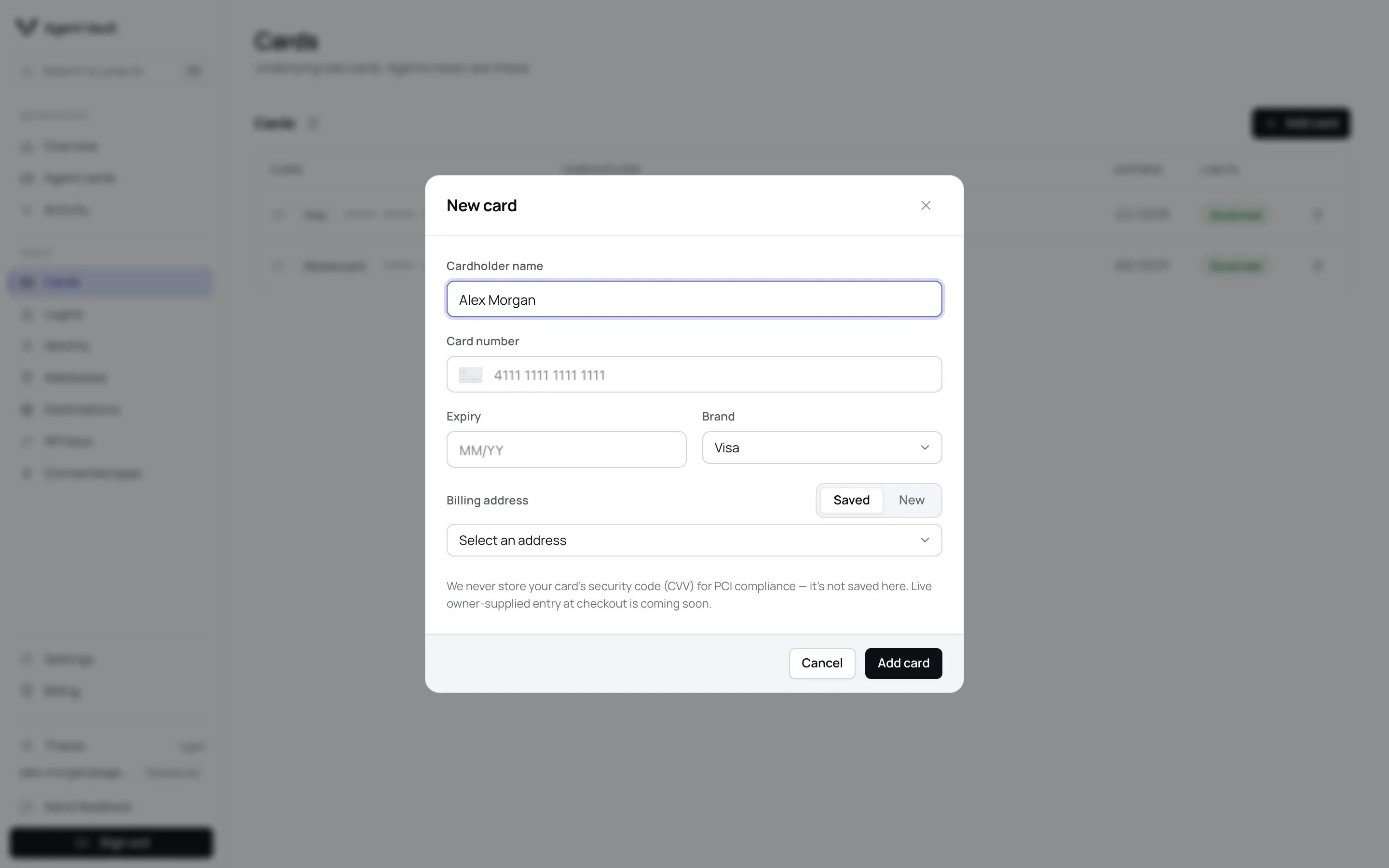
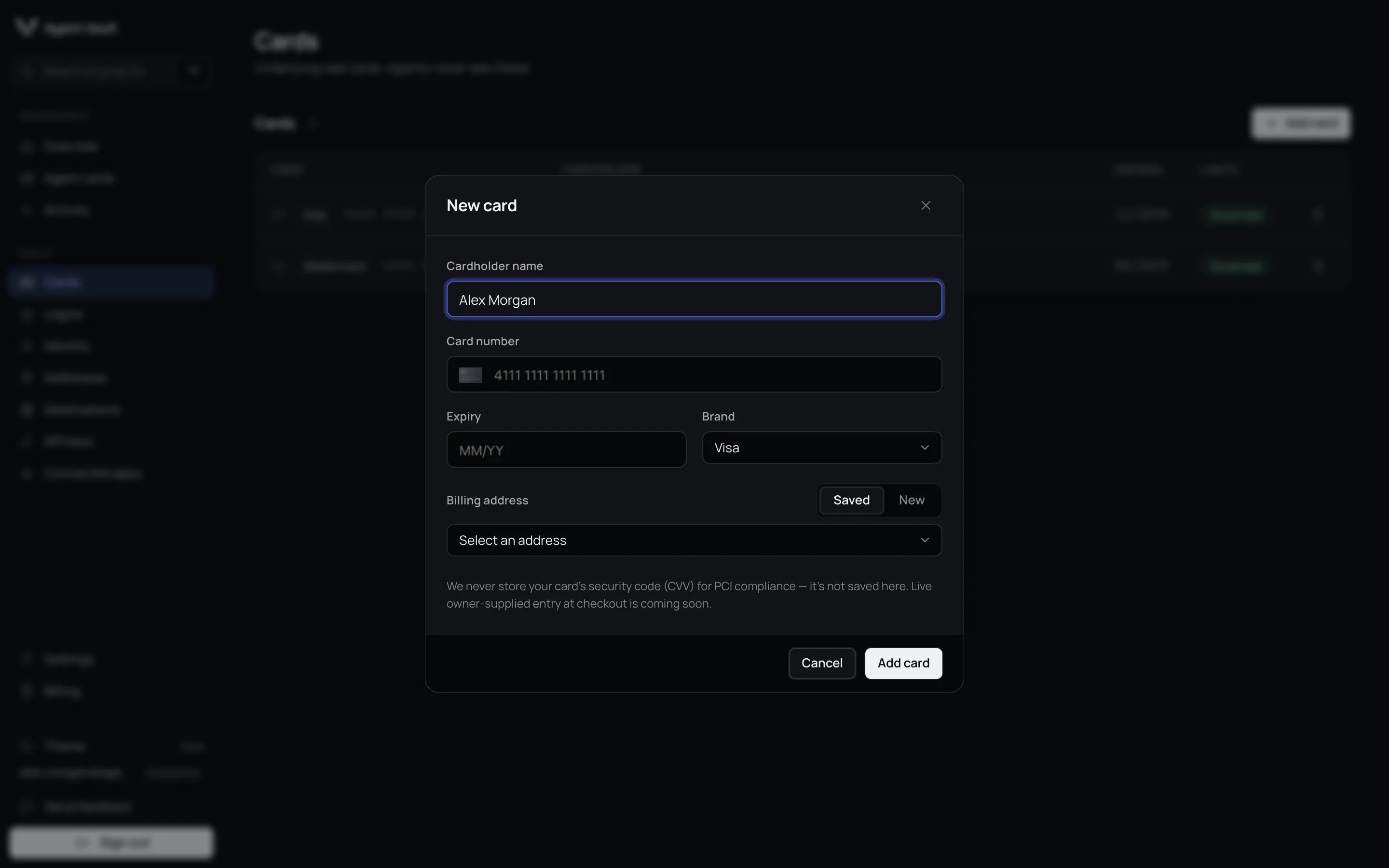
Type the name as it appears on the card in **Cardholder name**.
Give the card a name you would use yourself, such as `Revolut gray`, in
**Card name**. Your agent sees it, so when you say "use my Revolut card" it
knows which one you mean, and when it can't tell, it asks.
Fill in **Card number** and **Expiry** (MM/YY). The number goes straight
to our card vault provider.
Pick one under **Brand**. The vault corrects it if it recognizes the
number.
Under **Billing address**, pick **Saved** to choose one of your
addresses, or **New** to type one.
The card appears in the list with the message **Card added.**
Your agents can now pay with this card. If it is your first card, its
[Default agent card](/dashboard/agent-cards#the-default-agent-card) already
limits it. Any card you add after that starts with **No limits**: click
**Add limits** on it before an agent uses it.
## Add a card
It is at the top of the **Cards** page.
Type the name as it appears on the card in **Cardholder name**.
Give the card a name you would use yourself, such as `Revolut gray`, in
**Card name**. Your agent sees it, so when you say "use my Revolut card" it
knows which one you mean, and when it can't tell, it asks.
Fill in **Card number** and **Expiry** (MM/YY). The number goes straight
to our card vault provider.
Pick one under **Brand**. The vault corrects it if it recognizes the
number.
Under **Billing address**, pick **Saved** to choose one of your
addresses, or **New** to type one.
The card appears in the list with the message **Card added.**
Your agents can now pay with this card. If it is your first card, its
[Default agent card](/dashboard/agent-cards#the-default-agent-card) already
limits it. Any card you add after that starts with **No limits**: click
**Add limits** on it before an agent uses it.
 | Field | What it does | Default | Recommendation |
| - | - | - | - |
| **Cardholder name** | The name checkouts receive for the card | Empty | Copy it exactly from the card |
| **Card name** | Your own name for the card, shown to your agent. Up to 40 characters | Empty | Name every card when you have more than one |
| **Brand** | The card network | **Visa** | Leave it if the vault detects the brand |
| **Billing address** | The address the card network checks at payment | **Saved** when you have addresses, otherwise **New** | Use the address your bank has on file |
**The billing address must match the card.** The card network compares it with
the address your bank holds, and a mismatch can decline the payment.
A **New** billing address is also saved to
[Addresses](/dashboard/identity-and-addresses#addresses). On a test deployment,
enter test cards only. Agent Vault creates a
[Default agent card](/dashboard/agent-cards#the-default-agent-card) with
starter limits only when the card you add is the only card in your vault,
which is usually your first one. A second or later card gets no agent card of
its own.
## The cards list
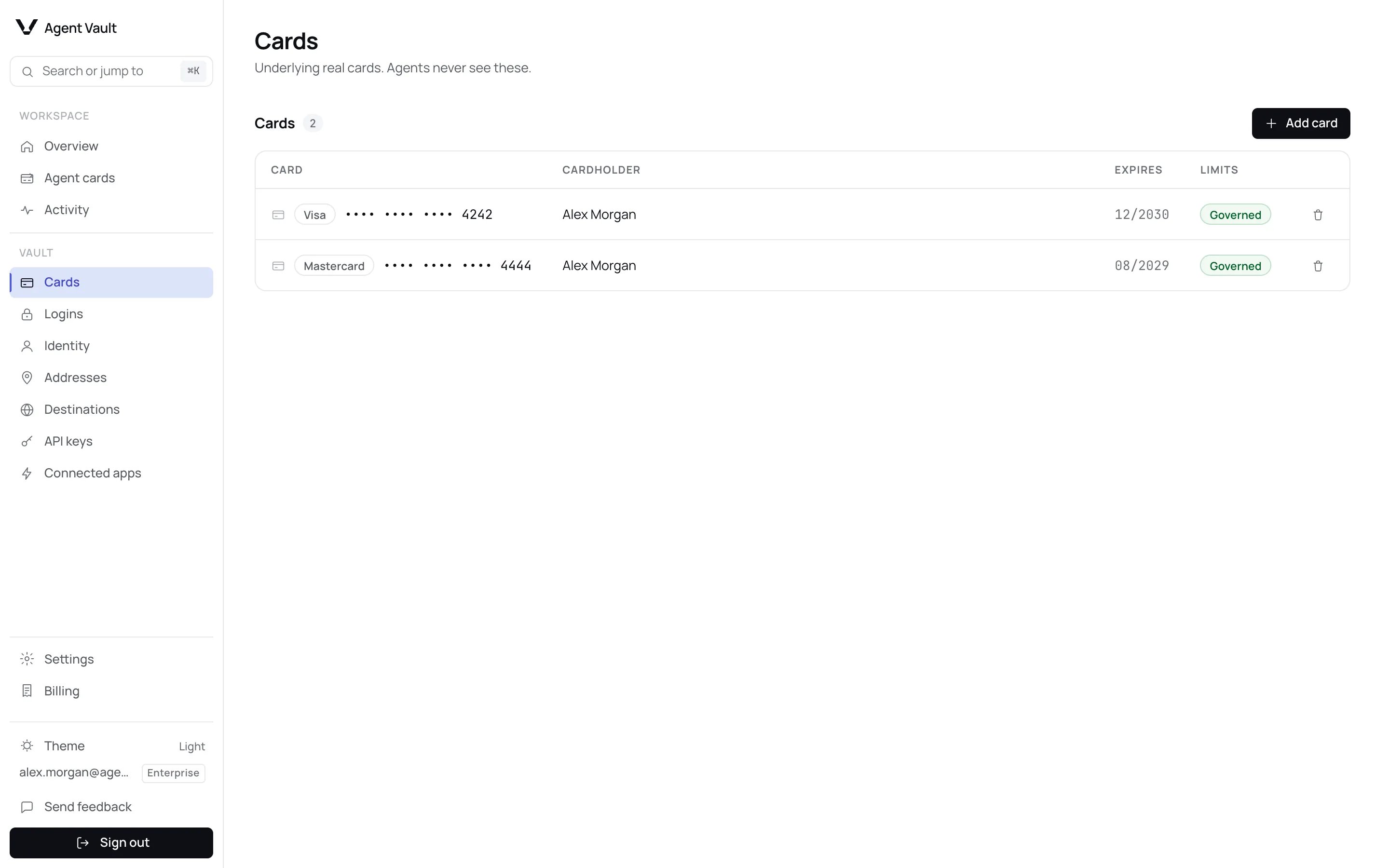
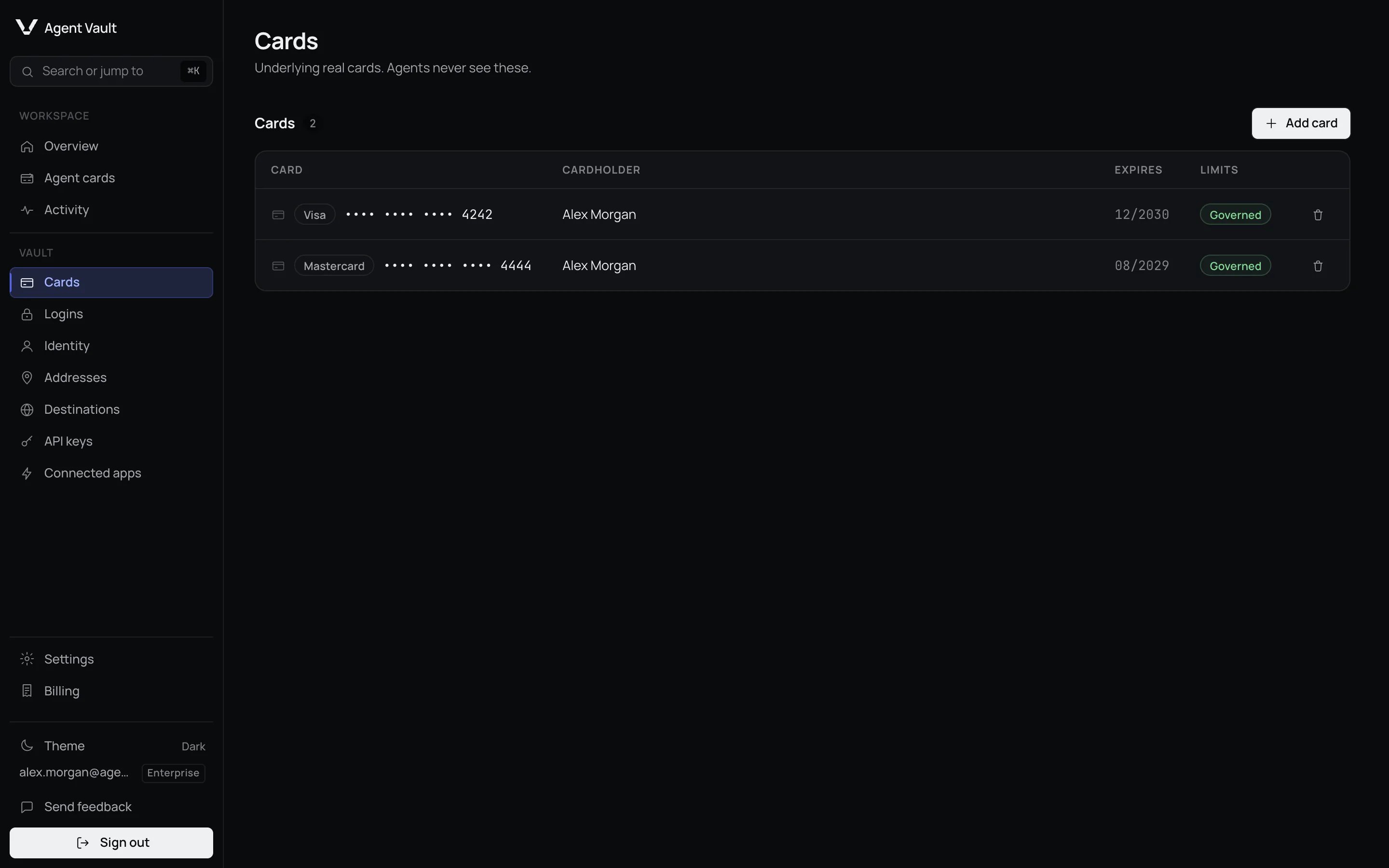
Each row shows the **Card** with its name, **Cardholder** and **Expires** date.
Click **Rename** (or **Add name**) under the card to change its name; save it
blank to remove it. **Limits** reads **Governed** when an agent card controls
the card, and **No limits** when none does.
| Field | What it does | Default | Recommendation |
| - | - | - | - |
| **Cardholder name** | The name checkouts receive for the card | Empty | Copy it exactly from the card |
| **Card name** | Your own name for the card, shown to your agent. Up to 40 characters | Empty | Name every card when you have more than one |
| **Brand** | The card network | **Visa** | Leave it if the vault detects the brand |
| **Billing address** | The address the card network checks at payment | **Saved** when you have addresses, otherwise **New** | Use the address your bank has on file |
**The billing address must match the card.** The card network compares it with
the address your bank holds, and a mismatch can decline the payment.
A **New** billing address is also saved to
[Addresses](/dashboard/identity-and-addresses#addresses). On a test deployment,
enter test cards only. Agent Vault creates a
[Default agent card](/dashboard/agent-cards#the-default-agent-card) with
starter limits only when the card you add is the only card in your vault,
which is usually your first one. A second or later card gets no agent card of
its own.
## The cards list
Each row shows the **Card** with its name, **Cardholder** and **Expires** date.
Click **Rename** (or **Add name**) under the card to change its name; save it
blank to remove it. **Limits** reads **Governed** when an agent card controls
the card, and **No limits** when none does.

 A **No limits** card has no agent card spending caps or merchant rules, so each
fill can be for any amount on any [destination](/dashboard/destinations). On any
other site, the fill still stops and asks you first. Your plan's payment quota
still applies: once the account has made 5 payments in a rolling 30 days on
Free or 100 on Plus, the next fill is refused with `plan_quota_reached`.
Enterprise has no payment quota. Preview, development, test and staging deployments are not
metered. See [Limits and timeouts](/reference/limits#plan-limits). Click
**Add limits** to fix it.
## What Agent Vault keeps
Agent Vault keeps the last four digits, brand, expiry, cardholder name, the
card's name if you gave it one, and a link to the billing address. Your agent fills the expiry from this saved copy,
and you cannot edit it here. If your bank sends a card with a new expiry, delete
the card and add it again, then pick it as the **Underlying card** of any agent
card that used the old one. The card number is held by our card vault
provider. The security code (CVV) is **never** stored, as card
industry rules (PCI DSS 3.3.1) require. On a deployment with live security code
entry, which the hosted Agent Vault service has, a checkout that needs it asks
you to type it at that moment. On a deployment without it, that checkout fails
with `cvv_entry_required`. See
[Security code requests](/dashboard/approvals-and-notifications#security-code-requests)
and [Card storage](/security/card-storage).
## Delete a card
A confirm button appears in its place.
The card is removed with the message **Card removed.**
From that moment no agent can fill it, because Agent Vault can no longer resolve
its token. Revoking the token in the vault follows shortly after, unless another
of your saved cards still uses the same token. If you add the same card later, it is a
new card: add it to any limited API key's access again.
## What happens when…
| Your agent is told | What happened | What to do |
| - | - | - |
| The card is paused | Every agent card on this card is paused | [Resume](/dashboard/agent-cards#pause-and-resume) one |
| A limit was reached | A spending limit was hit | See [Spending limits](/dashboard/agent-cards#spending-limits) |
| The site is blocked | The agent card's merchant rules do not allow this site | Check [Merchant restrictions](/dashboard/agent-cards#merchant-restrictions) |
| The site is not approved | You denied the new site, or the request timed out | Approve it next time, or check [Destinations](/dashboard/destinations) |
| The total is unknown | The order total could not be read | Raising a limit will not help. The agent may need a [page hint](/guides/page-hints) |
## For developers
| Field or error | Meaning |
| - | - |
| `number`, `cvv` | The card's mock tokens. `cvv` starts [live CVV entry](/guides/live-cvv) |
| `anySite`, `websites` | Where the card is offered. A blocklisted site still gets `anySite: true` |
| `card_paused`, `limit_reached`, `merchant_blocked`, `destination_unauthorized`, `checkout_total_unknown` | The rows of the table above, in order |
| `networkToken` | Reserved for a card-network token |
Full lists: [Token catalog](/reference/token-catalog) and [Error codes](/sdk/error-codes).
**Network tokens: status not available.** No card carries one today. The
field stays empty until network onboarding with Visa or Mastercard is in place.
**Next:** [Agent cards](/dashboard/agent-cards) to set how much an agent can spend with this card.
This documentation is built and hosted on [Mintlify](https://mintlify.com), a developer documentation platform.
A **No limits** card has no agent card spending caps or merchant rules, so each
fill can be for any amount on any [destination](/dashboard/destinations). On any
other site, the fill still stops and asks you first. Your plan's payment quota
still applies: once the account has made 5 payments in a rolling 30 days on
Free or 100 on Plus, the next fill is refused with `plan_quota_reached`.
Enterprise has no payment quota. Preview, development, test and staging deployments are not
metered. See [Limits and timeouts](/reference/limits#plan-limits). Click
**Add limits** to fix it.
## What Agent Vault keeps
Agent Vault keeps the last four digits, brand, expiry, cardholder name, the
card's name if you gave it one, and a link to the billing address. Your agent fills the expiry from this saved copy,
and you cannot edit it here. If your bank sends a card with a new expiry, delete
the card and add it again, then pick it as the **Underlying card** of any agent
card that used the old one. The card number is held by our card vault
provider. The security code (CVV) is **never** stored, as card
industry rules (PCI DSS 3.3.1) require. On a deployment with live security code
entry, which the hosted Agent Vault service has, a checkout that needs it asks
you to type it at that moment. On a deployment without it, that checkout fails
with `cvv_entry_required`. See
[Security code requests](/dashboard/approvals-and-notifications#security-code-requests)
and [Card storage](/security/card-storage).
## Delete a card
A confirm button appears in its place.
The card is removed with the message **Card removed.**
From that moment no agent can fill it, because Agent Vault can no longer resolve
its token. Revoking the token in the vault follows shortly after, unless another
of your saved cards still uses the same token. If you add the same card later, it is a
new card: add it to any limited API key's access again.
## What happens when…
| Your agent is told | What happened | What to do |
| - | - | - |
| The card is paused | Every agent card on this card is paused | [Resume](/dashboard/agent-cards#pause-and-resume) one |
| A limit was reached | A spending limit was hit | See [Spending limits](/dashboard/agent-cards#spending-limits) |
| The site is blocked | The agent card's merchant rules do not allow this site | Check [Merchant restrictions](/dashboard/agent-cards#merchant-restrictions) |
| The site is not approved | You denied the new site, or the request timed out | Approve it next time, or check [Destinations](/dashboard/destinations) |
| The total is unknown | The order total could not be read | Raising a limit will not help. The agent may need a [page hint](/guides/page-hints) |
## For developers
| Field or error | Meaning |
| - | - |
| `number`, `cvv` | The card's mock tokens. `cvv` starts [live CVV entry](/guides/live-cvv) |
| `anySite`, `websites` | Where the card is offered. A blocklisted site still gets `anySite: true` |
| `card_paused`, `limit_reached`, `merchant_blocked`, `destination_unauthorized`, `checkout_total_unknown` | The rows of the table above, in order |
| `networkToken` | Reserved for a card-network token |
Full lists: [Token catalog](/reference/token-catalog) and [Error codes](/sdk/error-codes).
**Network tokens: status not available.** No card carries one today. The
field stays empty until network onboarding with Visa or Mastercard is in place.
**Next:** [Agent cards](/dashboard/agent-cards) to set how much an agent can spend with this card.
This documentation is built and hosted on [Mintlify](https://mintlify.com), a developer documentation platform.