> ## Documentation Index
> Fetch the complete documentation index at: https://docs.agentvault.io/llms.txt
> Use this file to discover all available pages before exploring further.
# Dashboard overview
> Finish setup, check this week's spend, and stop every agent at once from the Overview page.
On the Overview page you finish setting up, see what your agents spent this
week, and stop every agent at once. First-time setup takes about 10 minutes.
 ## Connect your first agent
A new account opens on the **Connect your first agent** checklist. Each step
links to the page where you do it.
## Connect your first agent
A new account opens on the **Connect your first agent** checklist. Each step
links to the page where you do it.
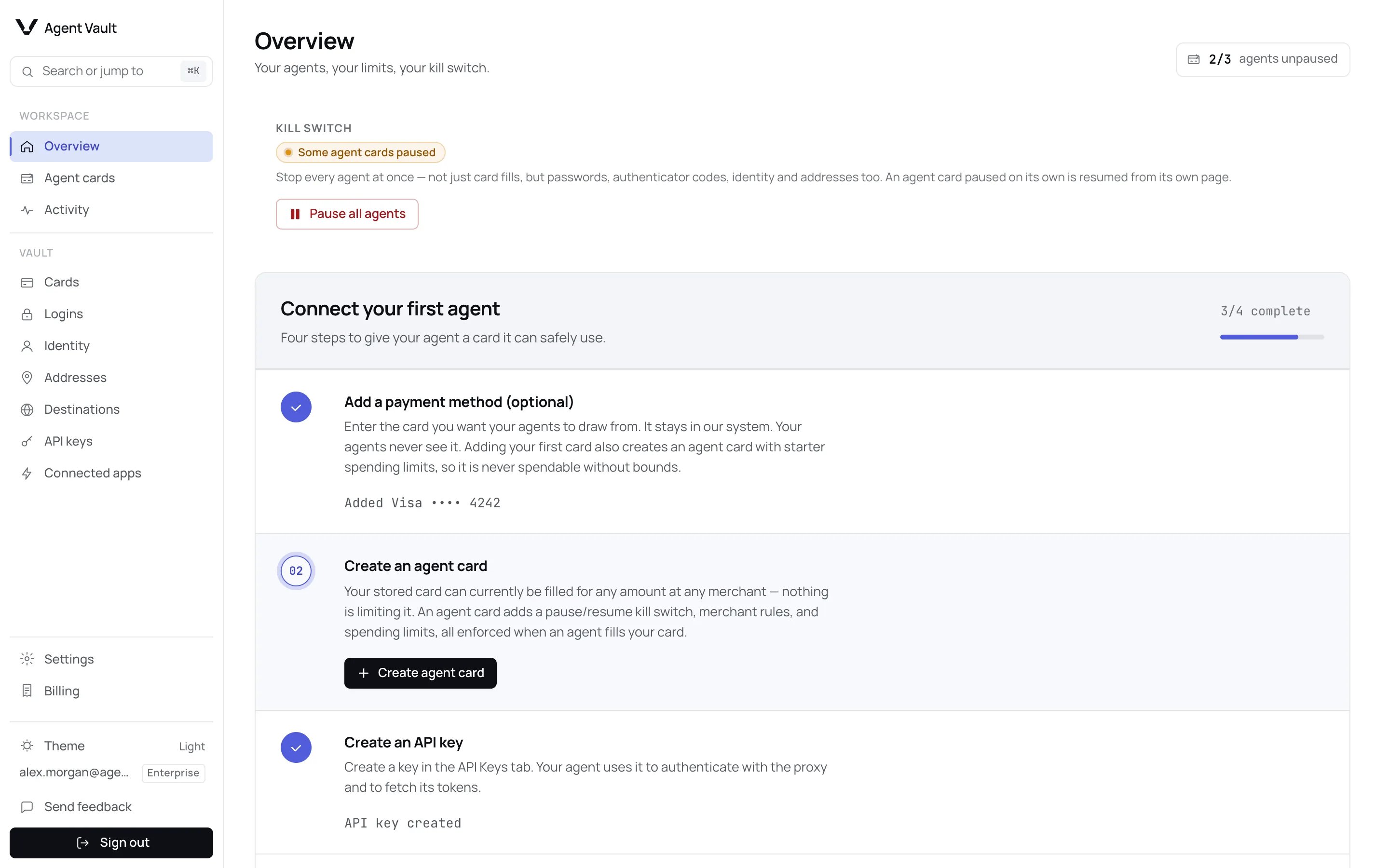
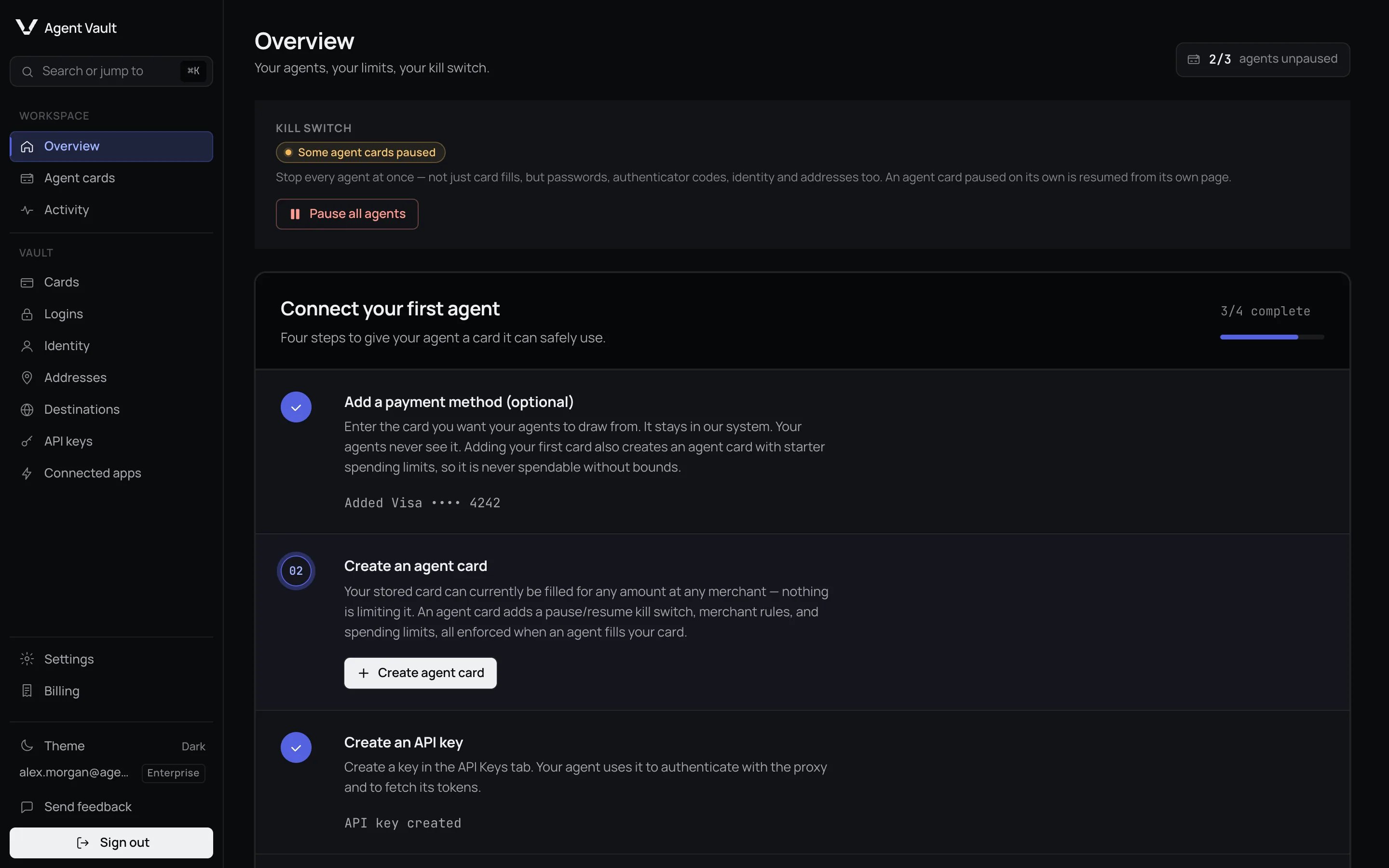 Click **Add card**. Skip this if your agent only signs in to sites.
Your first card creates one for you, so this is usually already done.
A card you add later gets none: click **Add limits** on it.
Click **Create API key**. Your agent connects with it.
Pick **Your agent framework**, then click **Copy agent instructions** and
paste them into your agent.
Do step 3 first: step 4's commands then come with your key and the correct
install link filled in ([why](/sdk/install#the-install-url)). The last step
completes when your agent connects, or click **Mark complete**. Your agent can
now use what you saved. **Close** hides the checklist; **Re-open getting
started** brings it back. **Connect another agent** repeats the setup steps
later. Each agent also has its own setup page: see
[Connect your agent](/agents/overview).
## Your weekly summary
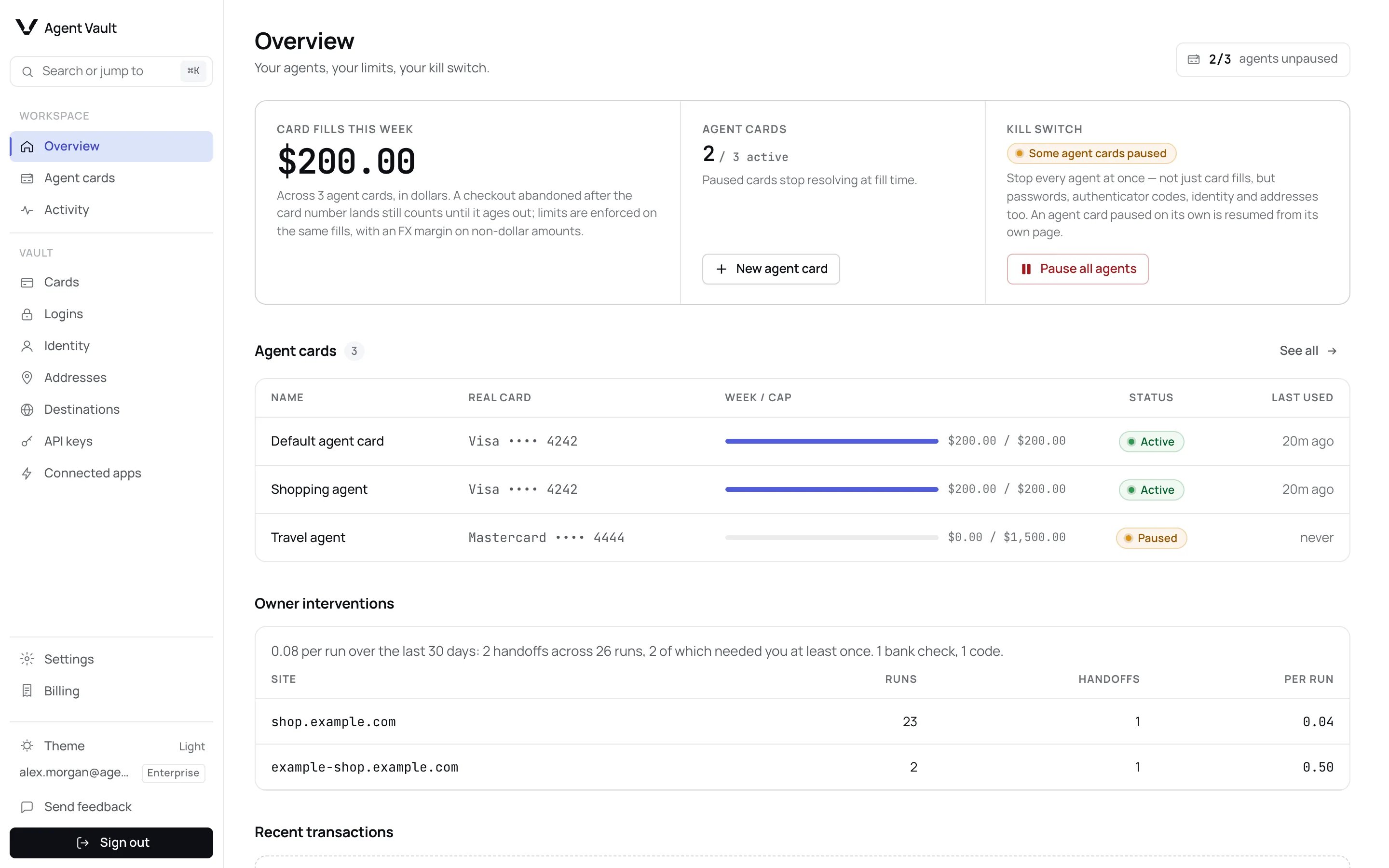
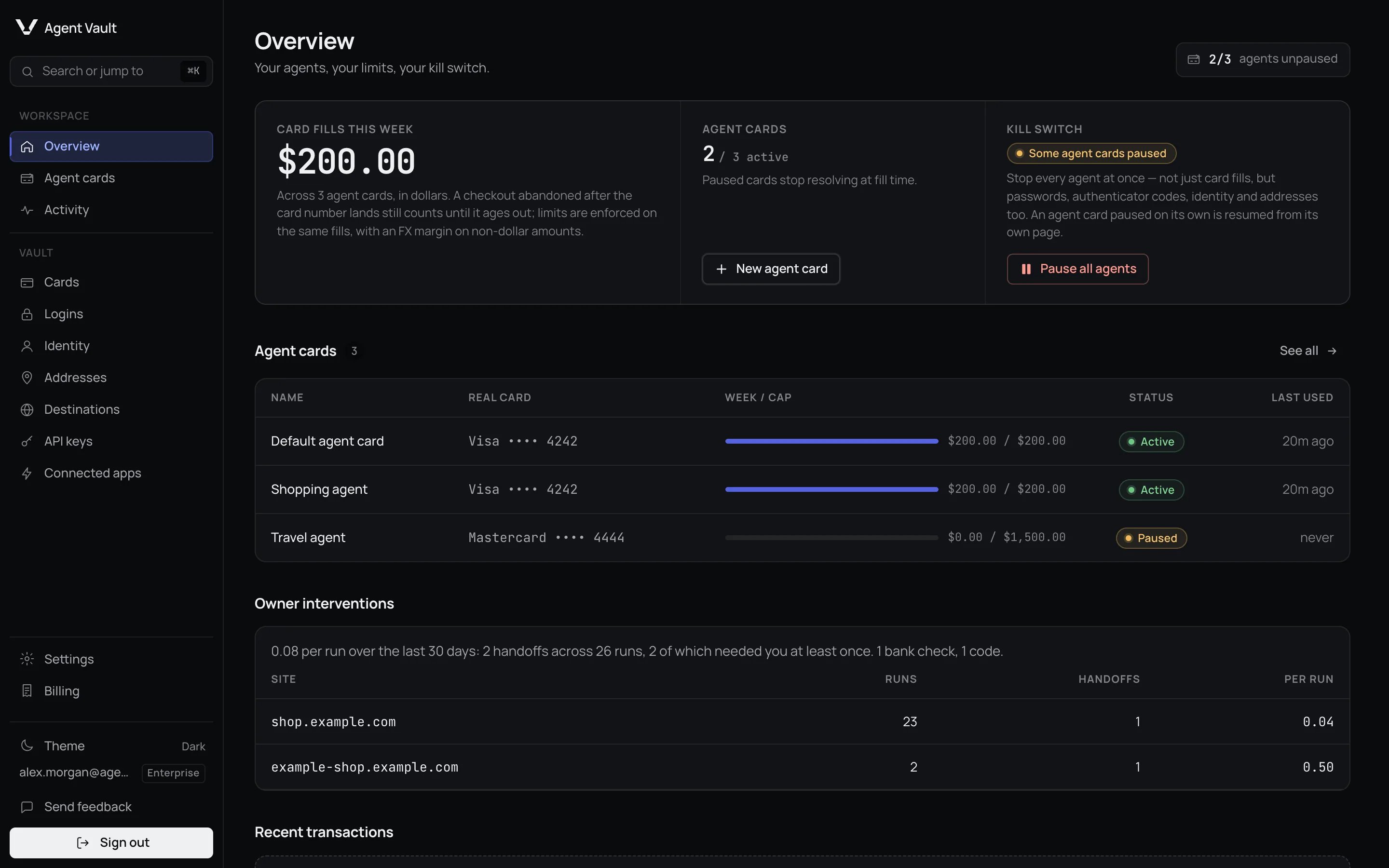
| Section | What it tells you |
| - | - |
| **Card fills this week** | Total filled into checkouts through your agent cards in the last 7 days |
| **Agent cards** | How many are active, paused or at a limit |
| **Kill switch** | Whether your agents are running |
| **Agent cards** table | Each agent card's spend against its weekly cap, status and last use |
| **Owner interventions** | How often your agents' runs in the last 30 days needed you to take the page, and the 20 sites that needed you most. It reads at most the 2,000 most recent agent sessions and, separately, at most the 2,000 most recent handoffs. Past either cap it says **Only the most recent runs are counted.** Past the handoff cap, the handoff count and the rate per run cover only the most recent handoffs, even when you had fewer than 2,000 runs |
**Card fills this week** counts when a card number is typed, not what the
merchant charged, so an abandoned checkout still counts. Check your card
statement for real charges. See [Spend is fill intent](/dashboard/activity#spend-is-fill-intent).
It adds up spend on the funding cards your agent cards control, counted once per
funding card. A fill on a card marked **No limits** on
[Cards](/dashboard/cards) is not included, because no agent card controlled it.
It is still recorded, and appears on [Activity](/dashboard/activity) as **Card
entered**. It stays out of the total even after you add an agent card to that
card later.
## Stop every agent at once
Use the **Kill switch** if an agent does something you did not expect.
The panel changes from **All agents active** to **All agents stopped**.
Your agents carry on without reconnecting.
Click **Add card**. Skip this if your agent only signs in to sites.
Your first card creates one for you, so this is usually already done.
A card you add later gets none: click **Add limits** on it.
Click **Create API key**. Your agent connects with it.
Pick **Your agent framework**, then click **Copy agent instructions** and
paste them into your agent.
Do step 3 first: step 4's commands then come with your key and the correct
install link filled in ([why](/sdk/install#the-install-url)). The last step
completes when your agent connects, or click **Mark complete**. Your agent can
now use what you saved. **Close** hides the checklist; **Re-open getting
started** brings it back. **Connect another agent** repeats the setup steps
later. Each agent also has its own setup page: see
[Connect your agent](/agents/overview).
## Your weekly summary
| Section | What it tells you |
| - | - |
| **Card fills this week** | Total filled into checkouts through your agent cards in the last 7 days |
| **Agent cards** | How many are active, paused or at a limit |
| **Kill switch** | Whether your agents are running |
| **Agent cards** table | Each agent card's spend against its weekly cap, status and last use |
| **Owner interventions** | How often your agents' runs in the last 30 days needed you to take the page, and the 20 sites that needed you most. It reads at most the 2,000 most recent agent sessions and, separately, at most the 2,000 most recent handoffs. Past either cap it says **Only the most recent runs are counted.** Past the handoff cap, the handoff count and the rate per run cover only the most recent handoffs, even when you had fewer than 2,000 runs |
**Card fills this week** counts when a card number is typed, not what the
merchant charged, so an abandoned checkout still counts. Check your card
statement for real charges. See [Spend is fill intent](/dashboard/activity#spend-is-fill-intent).
It adds up spend on the funding cards your agent cards control, counted once per
funding card. A fill on a card marked **No limits** on
[Cards](/dashboard/cards) is not included, because no agent card controlled it.
It is still recorded, and appears on [Activity](/dashboard/activity) as **Card
entered**. It stays out of the total even after you add an agent card to that
card later.
## Stop every agent at once
Use the **Kill switch** if an agent does something you did not expect.
The panel changes from **All agents active** to **All agents stopped**.
Your agents carry on without reconnecting.
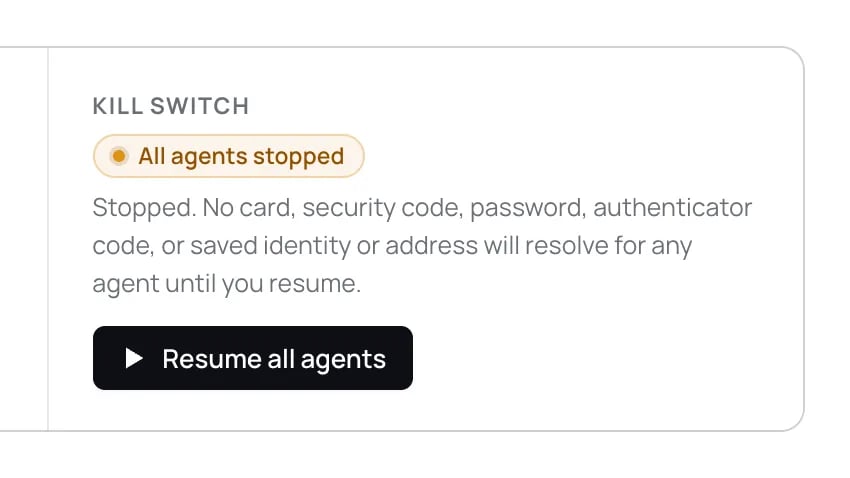
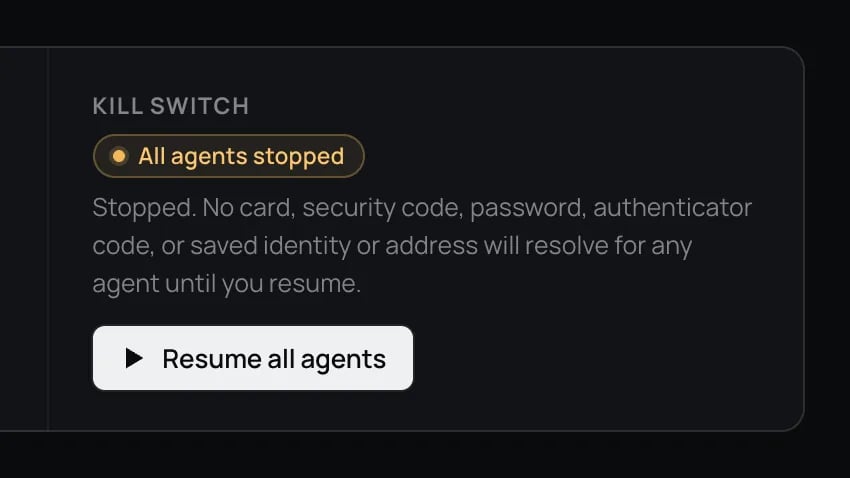 While stopped, no card, security code, password, two-factor code, identity or
address works for any agent. To stop one agent's card only, see
[Pause and resume](/dashboard/agent-cards#pause-and-resume).
## What happens when…
| Situation | What you see | What to do |
| - | - | - |
| You paused all agents | **All agents stopped**. Agents are told to ask you to resume | Click **Resume all agents** |
| A card has no limits | **Connect your first agent** reopens at **Create an agent card**. Until you add one, any agent with your API key can fill that card for any amount on any [destination](/dashboard/destinations), until your plan's [payment quota](/reference/limits#plan-limits) runs out. On **Cards** the card is marked **No limits** | Click **Create agent card**, or **Add limits** on the card |
| A request needs you | A banner on every page, plus an email or alert on each [channel you turned on](/dashboard/approvals-and-notifications#notification-settings), while that request's switch under [Events](/dashboard/approvals-and-notifications#events) is on | Answer in time: about 5 minutes for a purchase, 15 for a new site, 3 for a security code (on deployments with live security code entry) and 10 for a verification step. See [What can need you](/dashboard/approvals-and-notifications#what-can-need-you) |
| A request times out | Nothing waiting on that request is filled. Your agent can ask again | Answer the next one in time |
While stopped, no card, security code, password, two-factor code, identity or
address works for any agent. To stop one agent's card only, see
[Pause and resume](/dashboard/agent-cards#pause-and-resume).
## What happens when…
| Situation | What you see | What to do |
| - | - | - |
| You paused all agents | **All agents stopped**. Agents are told to ask you to resume | Click **Resume all agents** |
| A card has no limits | **Connect your first agent** reopens at **Create an agent card**. Until you add one, any agent with your API key can fill that card for any amount on any [destination](/dashboard/destinations), until your plan's [payment quota](/reference/limits#plan-limits) runs out. On **Cards** the card is marked **No limits** | Click **Create agent card**, or **Add limits** on the card |
| A request needs you | A banner on every page, plus an email or alert on each [channel you turned on](/dashboard/approvals-and-notifications#notification-settings), while that request's switch under [Events](/dashboard/approvals-and-notifications#events) is on | Answer in time: about 5 minutes for a purchase, 15 for a new site, 3 for a security code (on deployments with live security code entry) and 10 for a verification step. See [What can need you](/dashboard/approvals-and-notifications#what-can-need-you) |
| A request times out | Nothing waiting on that request is filled. Your agent can ask again | Answer the next one in time |

 Banners cover [purchase approvals](/dashboard/approvals-and-notifications#purchase-approvals),
[new sites](/dashboard/approvals-and-notifications#new-site-approvals-and-destinations),
[security codes](/dashboard/approvals-and-notifications#security-code-requests)
(on deployments with live security code entry) and [verification steps](/dashboard/approvals-and-notifications#verification-handoffs).
## Find a page
| Section | Page | Use it to |
| - | - | - |
| Workspace | [Agent cards](/dashboard/agent-cards) | Set limits and merchant rules, or pause one agent |
| Workspace | [Activity](/dashboard/activity) | See fills, declines and sessions |
| Vault | [Cards](/dashboard/cards) | Add the cards your agents pay with |
| Vault | [Logins](/dashboard/logins) | Save sign-ins and approve agent signups |
| Vault | [Identity](/dashboard/identity-and-addresses#identity) | Store your name, email and phone |
| Vault | [Addresses](/dashboard/identity-and-addresses#addresses) | Store shipping and billing addresses |
| Vault | [Destinations](/dashboard/destinations) | Authorize or revoke the sites your saved details may be used on |
| Vault | [API keys](/dashboard/api-keys) | Create and revoke your agents' keys |
| Vault | [Connected apps](/dashboard/api-keys#connected-apps) | Choose what a hosted MCP connection may use, or revoke it |
| Account | [Settings](/dashboard/approvals-and-notifications#notification-settings) | Choose notifications |
| Account | [Settings](/dashboard/data-and-deletion) | Export your data or delete your account |
| Account | [Billing](/dashboard/billing) | See your plan and upgrade |
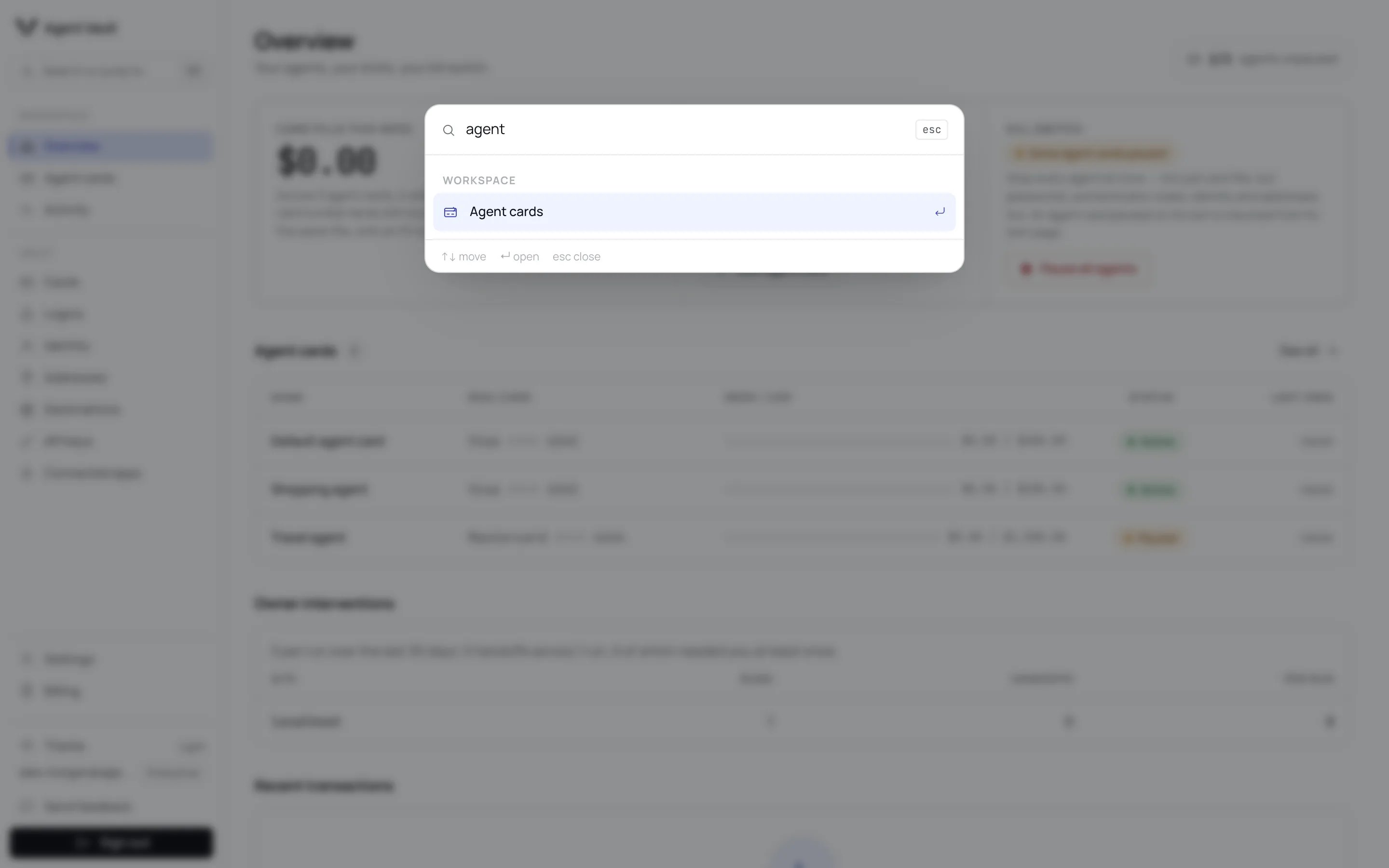
Press **⌘K** (Mac) or **Ctrl+K**, or click **Search or jump to**, to go straight
to a page. **Theme**, **Send feedback** and **Sign out** sit at the bottom of the
sidebar. A feedback message can be up to 2,000 characters, and you can send 10
in any 24 hours. Past that, the form says **That is a lot of feedback for one
day. Please try again tomorrow.** You can send again 24 hours after the oldest of
those 10 messages, not at midnight.
Banners cover [purchase approvals](/dashboard/approvals-and-notifications#purchase-approvals),
[new sites](/dashboard/approvals-and-notifications#new-site-approvals-and-destinations),
[security codes](/dashboard/approvals-and-notifications#security-code-requests)
(on deployments with live security code entry) and [verification steps](/dashboard/approvals-and-notifications#verification-handoffs).
## Find a page
| Section | Page | Use it to |
| - | - | - |
| Workspace | [Agent cards](/dashboard/agent-cards) | Set limits and merchant rules, or pause one agent |
| Workspace | [Activity](/dashboard/activity) | See fills, declines and sessions |
| Vault | [Cards](/dashboard/cards) | Add the cards your agents pay with |
| Vault | [Logins](/dashboard/logins) | Save sign-ins and approve agent signups |
| Vault | [Identity](/dashboard/identity-and-addresses#identity) | Store your name, email and phone |
| Vault | [Addresses](/dashboard/identity-and-addresses#addresses) | Store shipping and billing addresses |
| Vault | [Destinations](/dashboard/destinations) | Authorize or revoke the sites your saved details may be used on |
| Vault | [API keys](/dashboard/api-keys) | Create and revoke your agents' keys |
| Vault | [Connected apps](/dashboard/api-keys#connected-apps) | Choose what a hosted MCP connection may use, or revoke it |
| Account | [Settings](/dashboard/approvals-and-notifications#notification-settings) | Choose notifications |
| Account | [Settings](/dashboard/data-and-deletion) | Export your data or delete your account |
| Account | [Billing](/dashboard/billing) | See your plan and upgrade |
Press **⌘K** (Mac) or **Ctrl+K**, or click **Search or jump to**, to go straight
to a page. **Theme**, **Send feedback** and **Sign out** sit at the bottom of the
sidebar. A feedback message can be up to 2,000 characters, and you can send 10
in any 24 hours. Past that, the form says **That is a lot of feedback for one
day. Please try again tomorrow.** You can send again 24 hours after the oldest of
those 10 messages, not at midnight.
 ## What the dashboard never shows
Full card numbers, card security codes, login passwords and two-factor secrets
never appear. You see a card's brand, last four digits and expiry, and a **2FA**
chip on a login. You can copy **mock tokens**, the placeholders your agent types
instead of real details. See the [glossary](/reference/glossary).
## For developers
| Error | Meaning |
| - | - |
| `account_paused` | Returned to every agent while you have paused all agents |
**Next:** [Agent cards](/dashboard/agent-cards) to set how much each agent can spend.
This documentation is built and hosted on [Mintlify](https://mintlify.com), a developer documentation platform.
## What the dashboard never shows
Full card numbers, card security codes, login passwords and two-factor secrets
never appear. You see a card's brand, last four digits and expiry, and a **2FA**
chip on a login. You can copy **mock tokens**, the placeholders your agent types
instead of real details. See the [glossary](/reference/glossary).
## For developers
| Error | Meaning |
| - | - |
| `account_paused` | Returned to every agent while you have paused all agents |
**Next:** [Agent cards](/dashboard/agent-cards) to set how much each agent can spend.
This documentation is built and hosted on [Mintlify](https://mintlify.com), a developer documentation platform.