> ## Documentation Index
> Fetch the complete documentation index at: https://docs.agentvault.io/llms.txt
> Use this file to discover all available pages before exploring further.
# Let an agent open an account
> Have an agent sign the account holder up for a site, with their approval, using a password the vault generates that neither the account holder nor the agent receives.
Let an agent create an account on a site for the account holder, with their approval and a password that neither the account holder nor the agent ever receives. Wiring it up takes about 15 minutes, plus however long the account holder takes to approve.
## Before you start
* The agent's API key has the signup grant. The account holder turns on **Let this key create and change its own logins** on [API keys](/dashboard/api-keys). It is off by default.
* A mailbox the agent can read, for the site's confirmation email.
* The site's registrable domain, for example `doordash.com`.
* No login for the site is visible to the key: the catalog for the site's URL has empty `logins` and empty `relatedLogins`. If the key is limited to **Only selected** logins, empty lists only mean no matching login is in its selection. Have the account holder check **Logins** first, and widen the key's access on [API keys](/dashboard/api-keys) if the account already has one, rather than opening a second account.
## Open an account
```ts theme={null}
import { awaitSignupApproval, createLogin } from "@agentvault/playwright";
const { requestId } = await createLogin({
website: "doordash.com", // the registrable domain, not the signup URL
email: "ada@agentmail.example", // a mailbox you can read
});
```
Over MCP, call `create_login` with the same fields.
The handle's `status` is usually `pending`. If the account holder has put this site and this exact email on their [**Pre-approved signups**](/dashboard/logins#pre-approved-signups) list, it comes back `approved`: the login already exists, so poll the `requestId` right away and the first answer carries the tokens. Pre-approval covers at most 2 signups per listed site and, by default, 60 per account in a 24-hour window. Past either ceiling the request comes back `pending` and waits for the account holder, as it does when another approval check fails. See [Limits](/reference/limits#ceilings). Handle both.
| Field | Required | Notes |
| - | - | - |
| `website` | Yes | The registrable domain. A bare suffix such as `co.uk` is refused |
| `email` | Yes | Checked only for one `@` and no whitespace. No email is sent to validate it |
| `username` | No | Only a handle the site has **already accepted** |
```ts theme={null}
const { login, passwordPolicy } = await awaitSignupApproval({ requestId });
```
`awaitSignupApproval` polls for up to 15 minutes (`timeoutMs`) and rides out dropped connections and 5xx replies. Over MCP, `wait_for_signup_approval` waits 45 seconds per call, so call it until the `status` is final:
| `status` | Next |
| - | - |
| `approved` | Fill the form. The tokens are in the reply |
| `denied` or `expired` | Tell the user and stop |
| `still_pending` | Call again with the same `requestId` |
| `unknown` | Call again, and check `get_token_catalog`: an approval you could not read is already a login |
A pending request is a stop, not a retry. A second `createLogin` notifies the account holder again and uses another of five pending slots, which can lock you out with `too_many_pending`.
```ts theme={null}
// The account holder can clear the email after approving. Never fill tokens.username into an email field.
const email = login.tokens.email;
if (!email) throw new Error("The approved login has no email on file. Ask the account holder to restore it.");
await page.fill("#email", email);
await page.fill("#password", login.tokens.password);
await page.fill("#confirmPassword", login.tokens.password); // same token, both fields
```
Over MCP, `fill_login` takes `confirmPasswordSelector` for the second field.
Read the site's email out of band. If the code goes to a mailbox you cannot reach, say so rather than looping.
Read the site's stated rule off the page, then generate a replacement. Over MCP, call `rotate_login_password`.
```ts theme={null}
import { rotateLoginPassword } from "@agentvault/playwright";
await rotateLoginPassword({ label: login.label, maxLength: 16, noSymbols: true });
```
Rules: `minLength`, `maxLength`, `noSymbols`, `symbols` and `noRepeats`. Pass only rules the page states. The vault generates 12 to 64 characters, so a `minLength` above 64 is refused with `invalid_policy` and a `maxLength` below 12 with `password_too_short`. The mock token stays the same, so fill it again.
Only the API key that filed the signup request can rotate the password, and only within seven days of the login being created (the default; a deployment can set a different window). Any other key, or a later call, gets `not_rotatable`.
If the site asks for a username, type a plaintext one of your choice. Once the site accepts it, record it:
```ts theme={null}
await page.fill("#username", "ada-vault-42"); // plaintext, not a token
await page.click("#submit-username");
await setLoginUsername({ label: login.label, username: "ada-vault-42" });
```
Over MCP, call `set_login_username`.
`setLoginUsername` sets a handle once and cannot rename it. Record a handle the site later rejects, and only the account holder can repair the login.
Sending the same handle again is safe. A different one is refused with `username_already_set`.
The same rule as rotation applies: only the key that filed the signup request, and only within seven days of the login being created by default. Any other key, or a later call, gets `not_found`.
The account holder now has a login in the vault, and your agent can [sign in](/guides/sign-in) with it next time.
## What the account holder sees
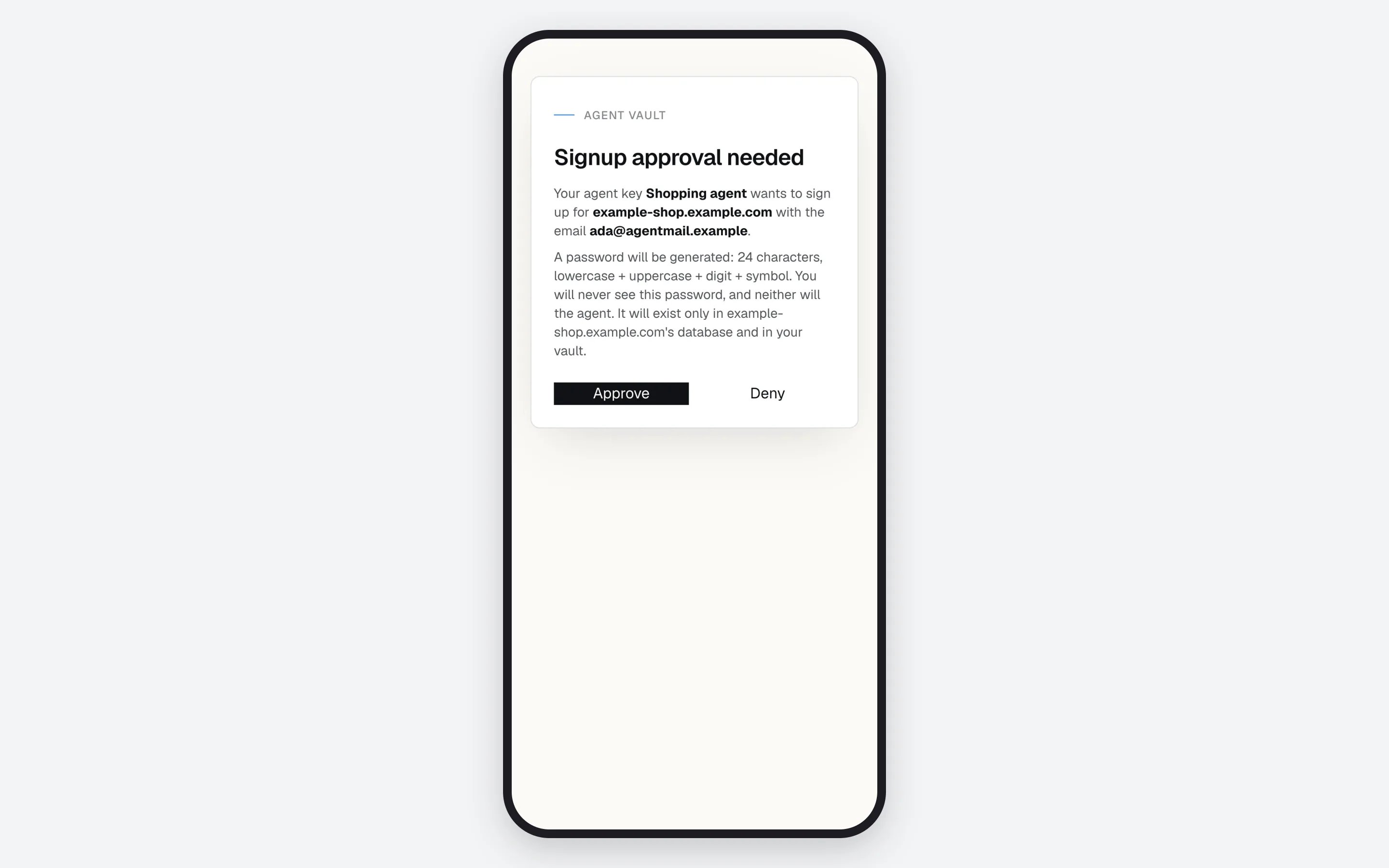
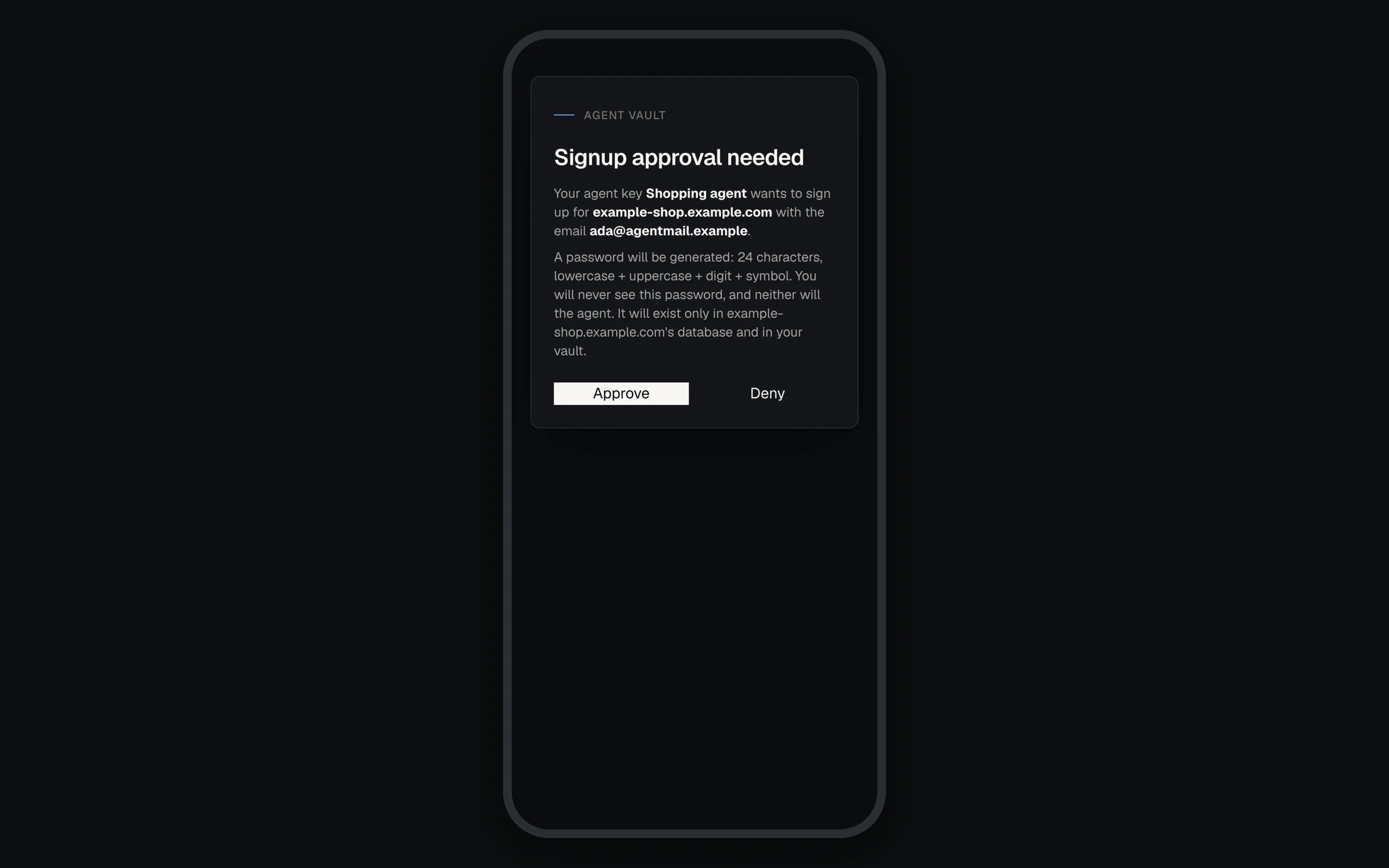
The request appears at the top of [Logins](/dashboard/logins) as "Your agent wants to sign up for" the site. They also get a **Review signup request** email when email and their **My agent creates or changes a login** switch are on. The **Signup approval needed** page names the API key, site and email, describes the password, and offers **Approve** and **Deny**.

 A request stays open for 24 hours. If approval cannot complete, the page says what to fix and the request stays pending:
* The key is limited to selected logins and its list holds 50 or more. Untick logins under **Edit access** until it holds fewer than 50, or switch it to **All logins**, then approve.
* The key lost the signup grant. Turn it back on, or deny the request if the key was revoked.
* The account reached 500 logins while the request waited, or the credential-change budget is spent. That budget is 25 changes in a 24-hour window by default, and it resets 24 hours after the first counted change, not at midnight. All logins count toward the 500, including ones the account holder added. The holder's own **Add login** is not capped, so a large vault leaves less room, or none, for agent signups.
The agent sees none of these as codes, only a request that stays `pending`.
Neither the account holder nor the agent ever receives the password. Agent Vault generates it, stores it encrypted, and decrypts it only in memory when the proxy types it into the site at fill time. The agent cannot add extra sign-in hosts: the login works on its own domain and subdomains.
## If something goes wrong
| Symptom | Cause | Fix |
| - | - | - |
| `signup_not_enabled` | The key lacks the signup grant | Ask the account holder to turn it on for this key |
| `too_many_pending` | Five requests already await a decision | Tell the user requests are waiting. There is no `Retry-After` |
| `login_limit` | The account already holds 500 logins, counting ones the account holder added. No request was created, even for a pre-approved site | Tell the user. Only they can free room, by deleting logins they no longer use |
| `rate_limited` | The key made over 20 credential writes this minute | Wait `retryAfterSeconds`, then call again. Nothing was written |
| A request stays `pending` until it expires | Approval is blocked by a full scope, a login cap, no free label or the 24-hour credential-change budget | Only the account holder can fix it, from the approval page |
| `invalid_policy` | The password rules cannot all hold, for example a `minLength` above 64, the longest password the vault generates | Pass only rules the page states. A site that needs more than 64 characters needs the account holder to add the login |
| `password_too_short` | The site's `maxLength` is below the vault's minimum | No rule clears it. Ask the account holder to add the login |
| `username_already_set` | A different handle is on file | Stop. Tell the account holder which handle the site accepted |
| `not_found` from `setLoginUsername`, or `not_rotatable` | Another key created the login, it was created more than seven days ago, or the account holder replaced its password | Stop. Tell the account holder what the site needs |
| `daily_limit` | The account's 25 credential changes in a 24-hour window are spent | Wait. It resets 24 hours after the first counted change, and there is no `Retry-After` |
| `approval_timeout` | `awaitSignupApproval` stopped waiting. The request may still be live | Tell the user. Do not file a new request |
| `write_outcome_unknown` | The write may or may not have happened | Never retry `createLogin` blind. The Logins page lists every pending request |
Every code, with retry advice, is in [Error codes](/sdk/error-codes#signup-and-login-writes). Caps on pending requests and on the logins an agent may add are in [Limits](/reference/limits).
**Next:** [Sign in to a site](/guides/sign-in) to use the new account later.
This documentation is built and hosted on [Mintlify](https://mintlify.com), a developer documentation platform.
A request stays open for 24 hours. If approval cannot complete, the page says what to fix and the request stays pending:
* The key is limited to selected logins and its list holds 50 or more. Untick logins under **Edit access** until it holds fewer than 50, or switch it to **All logins**, then approve.
* The key lost the signup grant. Turn it back on, or deny the request if the key was revoked.
* The account reached 500 logins while the request waited, or the credential-change budget is spent. That budget is 25 changes in a 24-hour window by default, and it resets 24 hours after the first counted change, not at midnight. All logins count toward the 500, including ones the account holder added. The holder's own **Add login** is not capped, so a large vault leaves less room, or none, for agent signups.
The agent sees none of these as codes, only a request that stays `pending`.
Neither the account holder nor the agent ever receives the password. Agent Vault generates it, stores it encrypted, and decrypts it only in memory when the proxy types it into the site at fill time. The agent cannot add extra sign-in hosts: the login works on its own domain and subdomains.
## If something goes wrong
| Symptom | Cause | Fix |
| - | - | - |
| `signup_not_enabled` | The key lacks the signup grant | Ask the account holder to turn it on for this key |
| `too_many_pending` | Five requests already await a decision | Tell the user requests are waiting. There is no `Retry-After` |
| `login_limit` | The account already holds 500 logins, counting ones the account holder added. No request was created, even for a pre-approved site | Tell the user. Only they can free room, by deleting logins they no longer use |
| `rate_limited` | The key made over 20 credential writes this minute | Wait `retryAfterSeconds`, then call again. Nothing was written |
| A request stays `pending` until it expires | Approval is blocked by a full scope, a login cap, no free label or the 24-hour credential-change budget | Only the account holder can fix it, from the approval page |
| `invalid_policy` | The password rules cannot all hold, for example a `minLength` above 64, the longest password the vault generates | Pass only rules the page states. A site that needs more than 64 characters needs the account holder to add the login |
| `password_too_short` | The site's `maxLength` is below the vault's minimum | No rule clears it. Ask the account holder to add the login |
| `username_already_set` | A different handle is on file | Stop. Tell the account holder which handle the site accepted |
| `not_found` from `setLoginUsername`, or `not_rotatable` | Another key created the login, it was created more than seven days ago, or the account holder replaced its password | Stop. Tell the account holder what the site needs |
| `daily_limit` | The account's 25 credential changes in a 24-hour window are spent | Wait. It resets 24 hours after the first counted change, and there is no `Retry-After` |
| `approval_timeout` | `awaitSignupApproval` stopped waiting. The request may still be live | Tell the user. Do not file a new request |
| `write_outcome_unknown` | The write may or may not have happened | Never retry `createLogin` blind. The Logins page lists every pending request |
Every code, with retry advice, is in [Error codes](/sdk/error-codes#signup-and-login-writes). Caps on pending requests and on the logins an agent may add are in [Limits](/reference/limits).
**Next:** [Sign in to a site](/guides/sign-in) to use the new account later.
This documentation is built and hosted on [Mintlify](https://mintlify.com), a developer documentation platform.