> ## Documentation Index
> Fetch the complete documentation index at: https://docs.agentvault.io/llms.txt
> Use this file to discover all available pages before exploring further.
# Handle challenges
> Detect a 3-D Secure, one-time code or CAPTCHA step, or a site that silently blocks the agent, and hand the live page to the account holder to complete.
Hand a 3-D Secure, one-time code or CAPTCHA step, or a silent block, to the account holder on the live page, then pick up where the agent left off. Wiring it up takes about 15 minutes. The account holder has up to 10 minutes to finish the step.
Agent Vault detects challenges but never solves them. A handoff is not a [purchase approval](/dashboard/approvals-and-notifications), which is a yes or no on the amount raised during the card fill.
## Before you start
* A proxy session on the checkout or sign-in page.
* `detectChallenge()` and `requestChallengeHandoff()` in the SDK, or `detect_challenge` and `request_challenge_handoff` over MCP.
* An account holder reachable within about 10 minutes. **Background alerts** on their phone is the most reliable channel.
## Hand off a challenge
A 3DS frame can appear a moment after the click, so poll for a short window.
```ts theme={null}
await page.click("#submit");
const deadline = Date.now() + 15_000;
let placed = false;
while (Date.now() < deadline) {
const challenge = await page.detectChallenge();
if (challenge.ambiguousOnly) return { status: "SECOND_FACTOR_UNRESOLVED" };
if (challenge.detected) {
const { outcome } = await page.requestChallengeHandoff();
if (outcome !== "solved" && outcome !== "completed") {
return { status: "CHALLENGE_REQUIRED", challengeType: challenge.type };
}
continue; // the page moved while you were paused
}
try {
await page.waitForSelector("#order-success", { state: "attached", timeout: 500 });
placed = true;
break;
} catch {}
}
if (!placed) return { status: "CHECKOUT_FAILED" }; // never assume success
```
`ambiguousOnly: true` means a field **might** be a code input, flagged only because this sign-in recently filled a password. The handoff refuses it with `handoff_not_applicable`. Fill `tokens.totp` if it is that login's authenticator step. Otherwise report the step as unresolved.
```ts theme={null}
const { outcome, challengeType, durationMs } = await page.requestChallengeHandoff();
```
The proxy checks the page again, then notifies the account holder. While it is open, every other page call gets `challenge_required`.
An MCP client that cancels the tool call after 60 seconds does not cancel the handoff. Do not request it again: once the account holder is done, re-orient with `wait_for_selector` or `get_session_outcome`.
| `outcome` | Meaning | Continue? |
| - | - | - |
| `solved` | The step is gone. The proxy checked after release | Yes |
| `completed` | Released, but the proxy could not check the page | Yes, after your own check in the next step |
| `released_unsolved` | The step is still on the page | No |
| `failed` or `abandoned` | The account holder could not finish, or gave up | No |
| Anything else | Unknown | No. Stop |
Use `observe()` and a selector `count()`. Take no screenshots after a handoff, even if you filled nothing: the page can echo what the account holder typed.
If the challenge ran in a **popup**, observe the page you came **from**. A popup that closed itself is gone, and observing it returns `unknown_target`. Over MCP, call `close_popup` first: it is safe even if the popup already closed.
Your agent continues the checkout. It never saw what the account holder typed.
## What the account holder sees
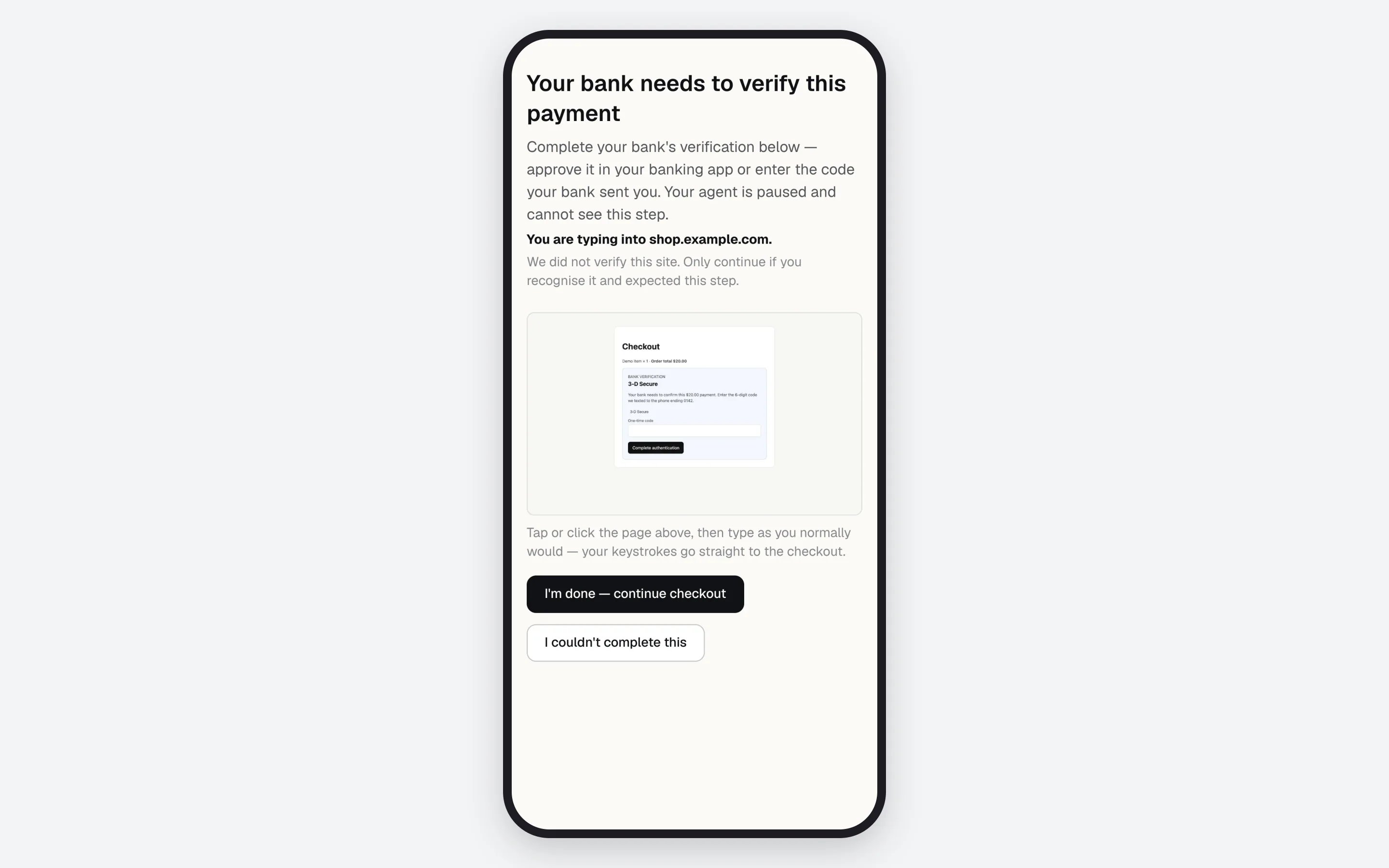
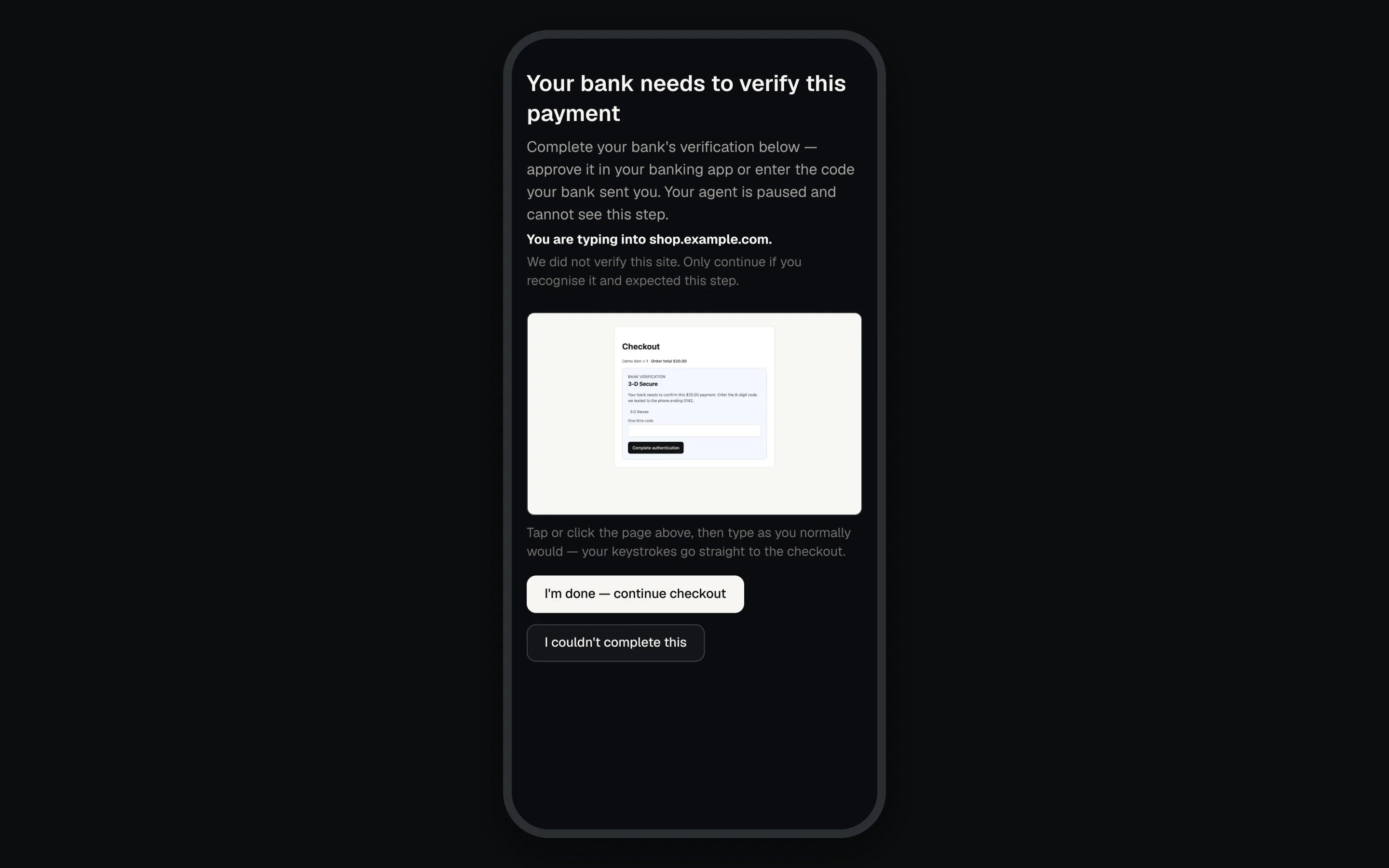
They get a dashboard banner. They also get an **Open live checkout** email and a desktop or **Background alerts** notification on each channel they turned on, as long as their **A checkout needs me to clear a bank or verification step** switch is on. The banner names the step: "Your bank needs to verify a payment", "Your checkout needs a one-time code", "Your checkout hit a human check" or, for a silent block, "A site stopped responding to your agent".

 The handoff page names the site ("We did not verify this site. Only continue if you recognise it and expected this step."), shows how long the agent will wait, and streams the live page. They complete the step, then tap **I'm done, continue checkout** or **I couldn't complete this**. The link is short-lived and needs no sign-in.
 ## Reading `detectChallenge()`
```ts theme={null}
{ detected, type, types, reason, signature?, deliveredCode?, ambiguousOnly?, inconclusive? }
```
| `type` | What it is | What to do |
| - | - | - |
| `three_ds` | A 3-D Secure or strong customer authentication step | Hand off |
| `otp` with `deliveredCode: true` | The page says the code was sent by SMS, email or another channel | Hand off. Never fill `tokens.totp`: no stored secret can produce a sent code, and a wrong one spends one of the site's limited attempts |
| `otp` | A one-time code prompt that names no channel | Hand off, unless it is the authenticator step of a sign-in you just performed and that login has `tokens.totp` |
| `captcha` | reCAPTCHA, hCaptcha, Turnstile or similar | Hand off. Never try to solve it |
| `blocked` | A silent block: the site stopped answering without saying why. `signature` names the shape | Hand off. Never retry, reload or search again to get past it |
`type` ranks 3DS over OTP over CAPTCHA, but an `ambiguousOnly` OTP ranks below CAPTCHA. `types` lists every match. `blocked` is reported only when a finished scan found none of the others.
* **`deliveredCode`**: checked before the TOTP branch. When it is `true`, the code went to the account holder, so hand off even if you just signed in with a login that has `tokens.totp`. Absent means the page named no channel, and the authenticator rule above applies.
* **`signature`**: set only on `blocked`. `stalled_search` is a loading indicator still up well after your last submit. `search_bounce` is a click that landed back on the page you came from, showing an error. `error_reference` is an error dialog with a reference code where the results should be. The account holder takes the live page and either gets through or confirms the site refused.
* **`inconclusive`**: the scan did not finish, so every `false` means unknown. A finished scan omits the flag: test `!result.inconclusive`.
* **`{ detected: false }`**: matched no known pattern. It is not proof. For a stalled sign-in, see [the sign-in diagnosis](/guides/sign-in#when-a-login-submits-and-nothing-obvious-happens).
It covers this page, the page that opened it, and any page it opened, since single sign-on runs across two windows. It ends when an address, card, CVV or name token is filled (a phone segment counts, a whole phone or email does not), or about 10 minutes after the password fill.
Treating `completed` as failure would abandon checkouts that cleared whenever the agent and proxy run different versions. Treating it as proof would carry on into a step still showing. So continue, and always check the page afterwards.
## Test the handoff
Use a key with **Fill a test card instead of my card** ticked on [API keys](/dashboard/api-keys#fill-a-test-card-instead). The practice checkout is not a payment page: never let the proxy type your real card there.
Open the practice checkout at `/demo-checkout` on your dashboard's address, tick **Simulate a bank verification step (3DS/SCA) on submit**, and run the loop above end to end. The page simulates the step, so the test card exercises the same handoff.
## If something goes wrong
| Symptom | Cause | Fix |
| - | - | - |
| `handoff_not_applicable` | The detection carried `ambiguousOnly`. A policy refusal, not a lost page | The tab is still yours. Fill `tokens.totp` if it applies, otherwise report the step |
| `challenge_scan_incomplete` | The proxy's check before notifying anyone could not finish | Detect again on the same page, and request again if a challenge is still there |
| `challenge_required` on a page call | A handoff is in progress, timed out or was superseded | Wait for it to finish. Restart only a **timed-out** handoff |
| `unknown_target` after the handoff | You observed a popup that already closed | Observe the opener. Over MCP, call `close_popup` |
| `unknown_target` from the handoff request, `Unknown pageId` | The page was gone before the handoff started. Nobody was notified | Switch to the opener or another live page and detect again |
| `unknown_target` from the handoff request, `No challenge is present on this page` | The proxy re-detected and the challenge had already cleared | Carry on with the same page |
| `wait_cancelled` | A handoff took the page over during a wait | Retry once the handoff returns |
| `released_unsolved` | Released, but the step is still there | Stop and tell the account holder |
| The account holder sees no handoff | Often a purchase approval is waiting instead | `approval_timeout` and `approval_denied` belong to the approval |
A superseded handoff means a newer one is live, likely the one the account holder is completing. Requesting again replaces it and cancels their work. Only restart a handoff that timed out.
Full codes: [Error codes](/sdk/error-codes#challenges-and-handoff).
**Next:** [Confirming what happened](/guides/confirming-outcomes) to prove the order landed after the handoff.
This documentation is built and hosted on [Mintlify](https://mintlify.com), a developer documentation platform.
## Reading `detectChallenge()`
```ts theme={null}
{ detected, type, types, reason, signature?, deliveredCode?, ambiguousOnly?, inconclusive? }
```
| `type` | What it is | What to do |
| - | - | - |
| `three_ds` | A 3-D Secure or strong customer authentication step | Hand off |
| `otp` with `deliveredCode: true` | The page says the code was sent by SMS, email or another channel | Hand off. Never fill `tokens.totp`: no stored secret can produce a sent code, and a wrong one spends one of the site's limited attempts |
| `otp` | A one-time code prompt that names no channel | Hand off, unless it is the authenticator step of a sign-in you just performed and that login has `tokens.totp` |
| `captcha` | reCAPTCHA, hCaptcha, Turnstile or similar | Hand off. Never try to solve it |
| `blocked` | A silent block: the site stopped answering without saying why. `signature` names the shape | Hand off. Never retry, reload or search again to get past it |
`type` ranks 3DS over OTP over CAPTCHA, but an `ambiguousOnly` OTP ranks below CAPTCHA. `types` lists every match. `blocked` is reported only when a finished scan found none of the others.
* **`deliveredCode`**: checked before the TOTP branch. When it is `true`, the code went to the account holder, so hand off even if you just signed in with a login that has `tokens.totp`. Absent means the page named no channel, and the authenticator rule above applies.
* **`signature`**: set only on `blocked`. `stalled_search` is a loading indicator still up well after your last submit. `search_bounce` is a click that landed back on the page you came from, showing an error. `error_reference` is an error dialog with a reference code where the results should be. The account holder takes the live page and either gets through or confirms the site refused.
* **`inconclusive`**: the scan did not finish, so every `false` means unknown. A finished scan omits the flag: test `!result.inconclusive`.
* **`{ detected: false }`**: matched no known pattern. It is not proof. For a stalled sign-in, see [the sign-in diagnosis](/guides/sign-in#when-a-login-submits-and-nothing-obvious-happens).
It covers this page, the page that opened it, and any page it opened, since single sign-on runs across two windows. It ends when an address, card, CVV or name token is filled (a phone segment counts, a whole phone or email does not), or about 10 minutes after the password fill.
Treating `completed` as failure would abandon checkouts that cleared whenever the agent and proxy run different versions. Treating it as proof would carry on into a step still showing. So continue, and always check the page afterwards.
## Test the handoff
Use a key with **Fill a test card instead of my card** ticked on [API keys](/dashboard/api-keys#fill-a-test-card-instead). The practice checkout is not a payment page: never let the proxy type your real card there.
Open the practice checkout at `/demo-checkout` on your dashboard's address, tick **Simulate a bank verification step (3DS/SCA) on submit**, and run the loop above end to end. The page simulates the step, so the test card exercises the same handoff.
## If something goes wrong
| Symptom | Cause | Fix |
| - | - | - |
| `handoff_not_applicable` | The detection carried `ambiguousOnly`. A policy refusal, not a lost page | The tab is still yours. Fill `tokens.totp` if it applies, otherwise report the step |
| `challenge_scan_incomplete` | The proxy's check before notifying anyone could not finish | Detect again on the same page, and request again if a challenge is still there |
| `challenge_required` on a page call | A handoff is in progress, timed out or was superseded | Wait for it to finish. Restart only a **timed-out** handoff |
| `unknown_target` after the handoff | You observed a popup that already closed | Observe the opener. Over MCP, call `close_popup` |
| `unknown_target` from the handoff request, `Unknown pageId` | The page was gone before the handoff started. Nobody was notified | Switch to the opener or another live page and detect again |
| `unknown_target` from the handoff request, `No challenge is present on this page` | The proxy re-detected and the challenge had already cleared | Carry on with the same page |
| `wait_cancelled` | A handoff took the page over during a wait | Retry once the handoff returns |
| `released_unsolved` | Released, but the step is still there | Stop and tell the account holder |
| The account holder sees no handoff | Often a purchase approval is waiting instead | `approval_timeout` and `approval_denied` belong to the approval |
A superseded handoff means a newer one is live, likely the one the account holder is completing. Requesting again replaces it and cancels their work. Only restart a handoff that timed out.
Full codes: [Error codes](/sdk/error-codes#challenges-and-handoff).
**Next:** [Confirming what happened](/guides/confirming-outcomes) to prove the order landed after the handoff.
This documentation is built and hosted on [Mintlify](https://mintlify.com), a developer documentation platform.