

Why it exists
Agents waste most of a failed checkout rediscovering what another agent already learned: which button adds to the cart, where the card fields live, or that the store only accepts PayPal. The registry records that knowledge once, as a checkout recipe, so every later agent starts from a known path or skips a store that can never work.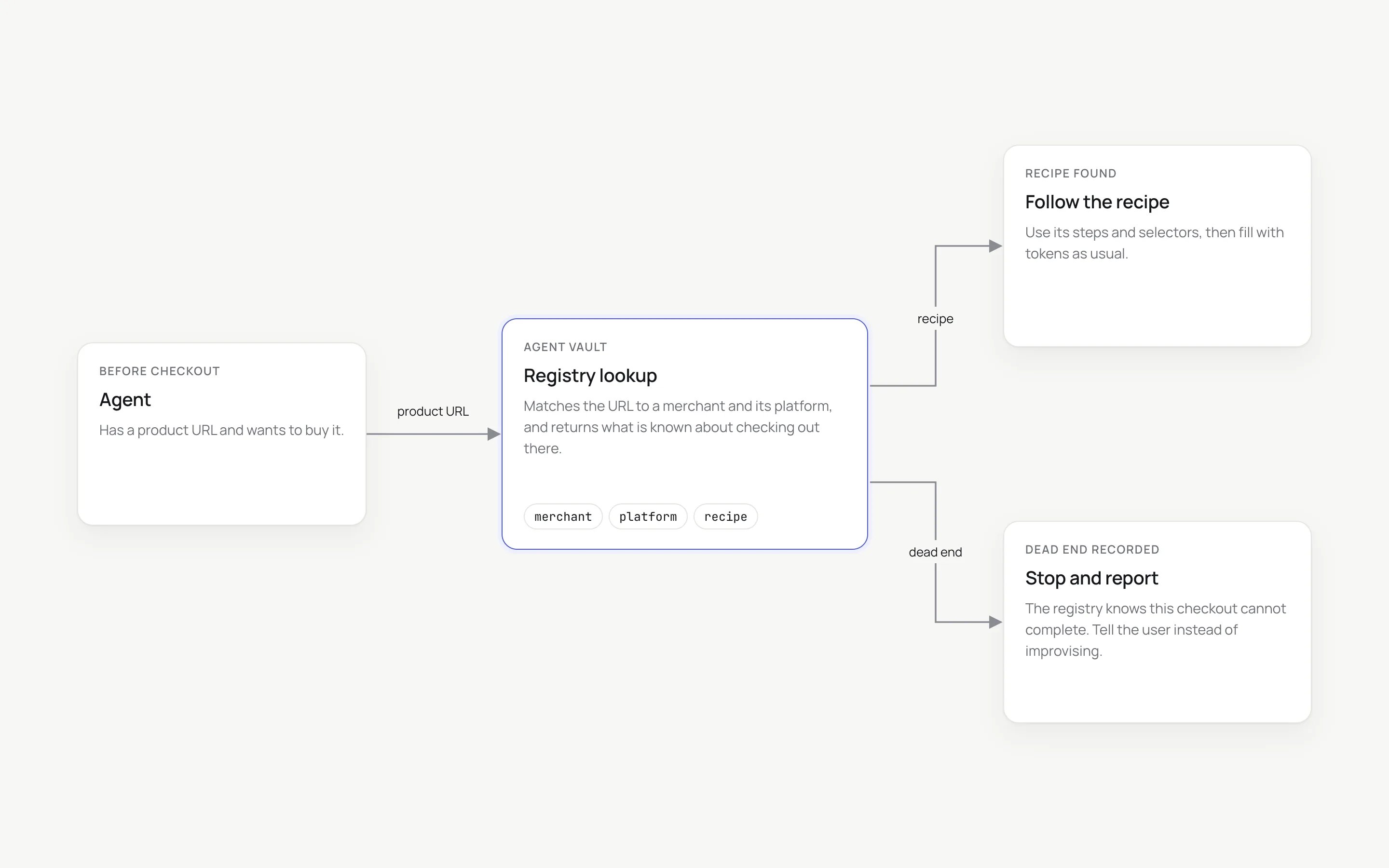
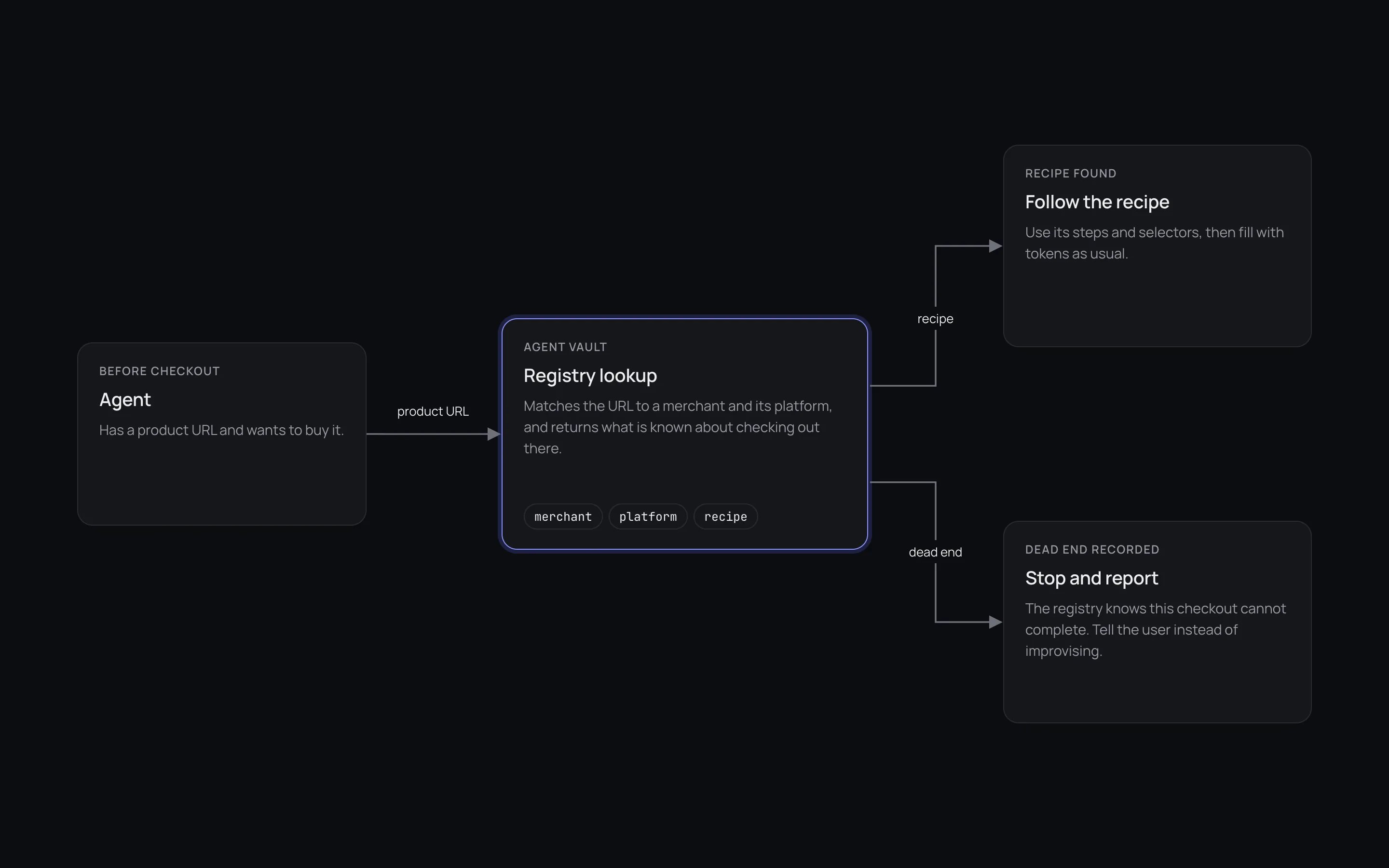
Lookup before checkout: the agent asks the registry, then follows the recipe or reports the dead end.
In this section
- What a recipe is. A JSON document describing a platform’s checkout or one store’s checkout.
- What its status means. A strict claim about what has actually been proven on a real run.
- How to read it. One unauthenticated request with a stripped URL.
- How to add to it. An authenticated API submission, screened automatically.
What a recipe describes
Platform recipe
How a whole commerce platform’s checkout works, for example Shopify,
WooCommerce with Stripe, Gumroad or Lemon Squeezy: how to recognise it,
where the card fields live, a selector per checkout phase, and known gotchas.
Merchant recipe
One store pinned down: which platform recipe applies, selector overrides
found on a real run, any dead end, and the verification trail.
Statuses at a glance
Every recipe carries one status. It states what was proven, not what was hoped. The same status means different things on a checkout recipe and a signup recipe.A recorded dead end is as valuable as a recorded success. It saves every later
agent a run on a store that cannot work.
A complete merchant recipe
notes field carries the judgement a field cannot: here, that the blocker is
this store’s choice and not a limitation of the platform.
Open data
Reading the registry needs no account and no API key. Recipes are plain JSON.Safety rules every recipe follows
These are enforced by automatic screening, not left to convention.Recipes use mock tokens only
Recipes use mock tokens only
A recipe never contains, requests or reads back a real card number, security
code or password.
A challenge means stop and hand off
A challenge means stop and hand off
A recipe never describes how to solve or bypass 3-D Secure, a one-time code or
a CAPTCHA. A store that always demands one is recorded as a
dead-end.Submit a payment once
Submit a payment once
A recipe classifies the outcome of a payment submit. It never retries one.
Supported platforms
Shopify, WooCommerce, Stripe Checkout, Stripe Payment Links, Lemon Squeezy, Paddle, Gumroad, BigCommerce, Squarespace Commerce, Wix Stores, Ecwid, Snipcart, FastSpring and Big Cartel. For live coverage by status, read the index:GET /v1/recipes returns the key,
kind and status of every recipe.
Next steps
Look up a recipe
Check a site before your agent touches the cart.
Contribute a recipe
Submit what your agent learned, through the API.
Recipe format
Every field, for every kind.
Install the skill
Teach any agent to use the registry.