

The guarantee
The CVV is never stored: not encrypted, not in the vault, not in a log, at no point. A code the account holder enters is used only for the single fill that waits for it, and is held only in the proxy’s memory. After that fill, the proxy keeps the code in memory until the session closes, only to scrub it from later output to the agent. See Screenshot redaction.Why
PCI DSS requirement 3.3.1 forbids storing sensitive authentication data after authorization, and the CVV is sensitive authentication data. Encryption does not change that. There is no setting or plan that enables CVV storage.How it works
The token catalog still gives every card acvv
token, for example av_card_1_cvv_u7x2k, and the agent fills it like any other
field. Behind that token is a prompt to the account holder, not a stored value.
Live CVV entry is a per-deployment capability. On a deployment without it,
a
cvv fill fails with cvv_entry_required and nothing can supply the value. The
hosted Agent Vault service has it turned on.1
The fill pauses
The proxy holds the CVV fill and creates a single-use prompt for the account
holder. The prompt record holds no code.
2
The account holder is asked
The dashboard shows a banner. A notification also goes out on each channel
the account holder turned on (email, Desktop notifications or
Background alerts), as long as their A checkout needs my card security
code switch is on. With that switch off, only the banner appears. Its link
carries a long random token, so it works from a phone without signing in.
The entry page names the merchant and the card.
3
The code goes to the proxy, and only there
The account holder types the code. It is delivered to the paused fill and
typed into the merchant’s field. It is not written to the database, to disk or
to any log, and it is removed from any error text returned to the agent.
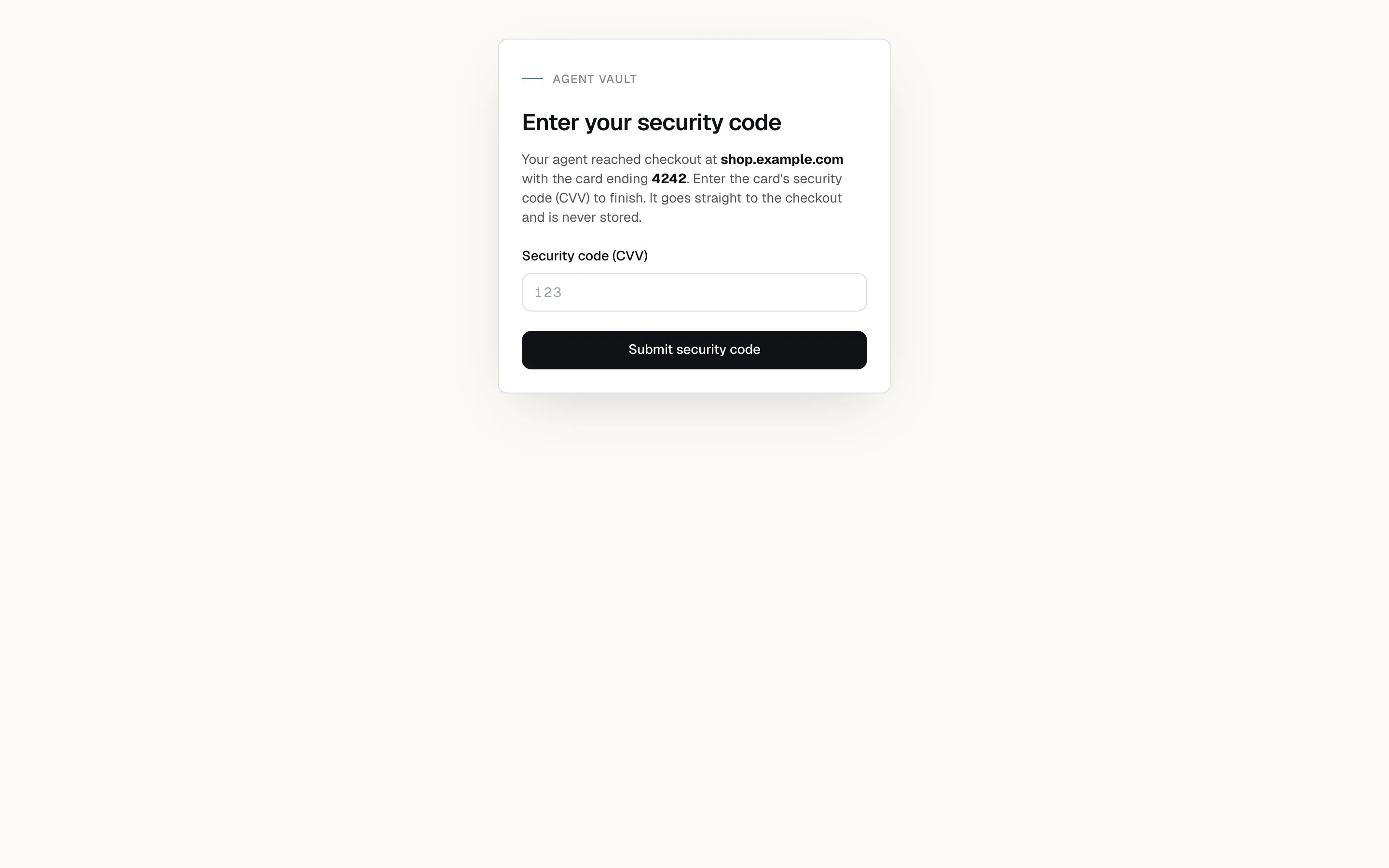
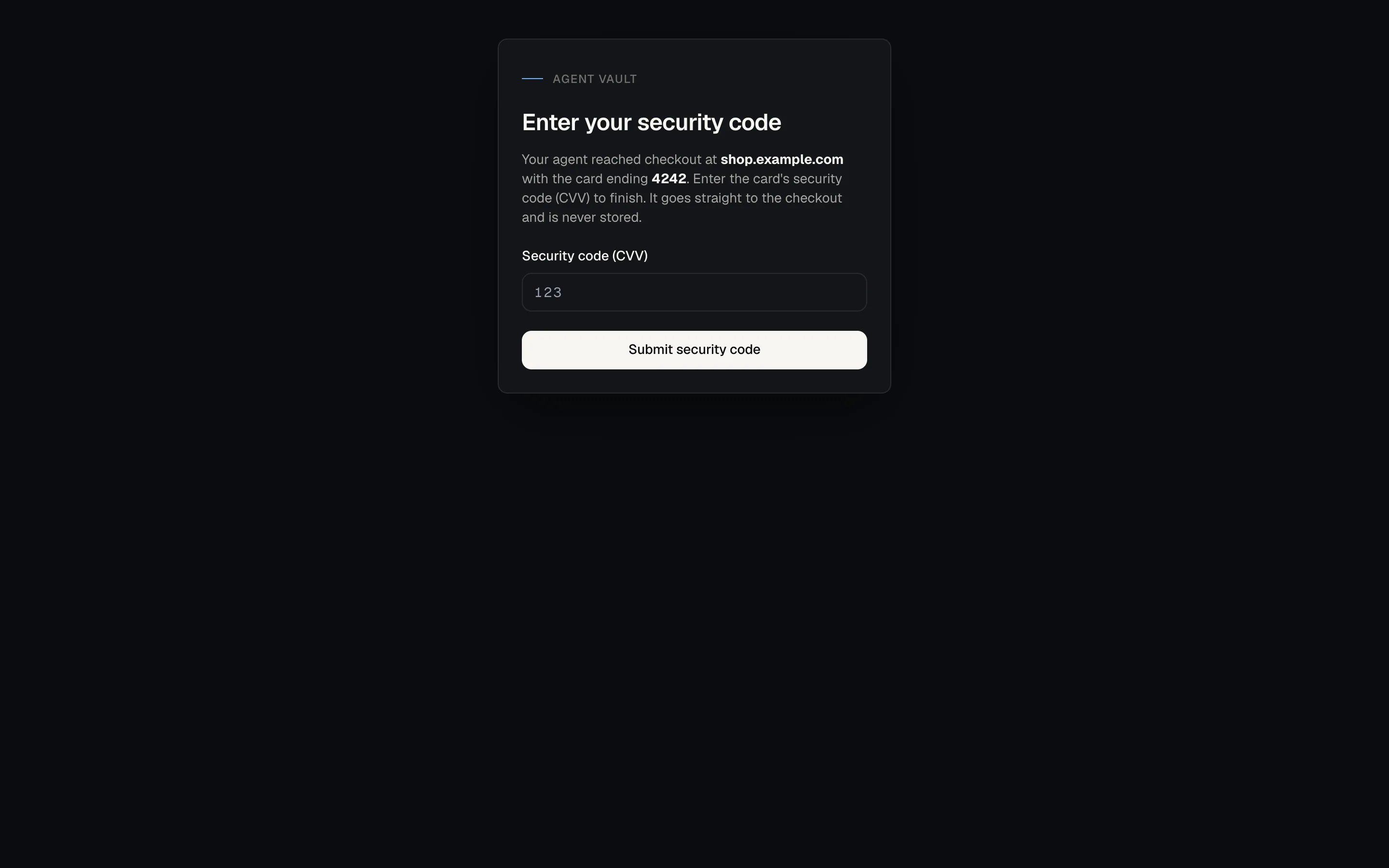
The live CVV prompt names the merchant and the card.
When cvv_entry_required is returned
On a deployment without live CVV entry, the message says “Live CVV entry is not
yet available”, and no retry helps. Where live entry is enabled, the code covers
five endings, each with its own retry answer. The error message says which one
occurred.
A new session fills the card number again. A number already filled in the failed
session stays recorded and is not reversed, so it still counts toward the card’s
spend limits and the account’s payment quota. The new fill records a second
spend attempt and can hit a spending cap or
plan_quota_reached. Check
Activity first.
Related refusals
A CVV token passed to selectOption is refused
A CVV token passed to selectOption is refused
Raised as
approval_denied. A merchant-controlled dropdown listing the codes 000
to 999 could otherwise harvest a real CVV one option at a time. Fill the card
number and CVV through the normal fill path.paired_cvv_refused means the number is already in the form
paired_cvv_refused means the number is already in the form
The card number was typed and only the code was withheld. Do not retry the whole
card fill: a second attempt types a second number and records a second spend
attempt for one purchase. Follow the message’s next step instead. See the error reference.
A second approval prompt usually means the fill order was wrong
A second approval prompt usually means the fill order was wrong
Filling the number arms a one-time authorization for the code that follows, and
the next action on the page uses it. Fill expiry and billing first, then the
number, then the code, with nothing in between. See
The card fill order.
Saved-card checkouts
Saved-card checkouts
Where the card is already on file at the merchant, the CVV fill is the one that
checks the order total. If the total rises after it, filling the code again
re-runs the check.On an agent card with a spending limit, a code filled on its own is refused with
limit_reached, though no limit was reached. Use a checkout that takes the card
number, or ask the account holder to remove the limit.Rules for agents
Never ask the account holder for a CVV in chat, read one from a note, or accept one pasted into the conversation. A CVV typed into a chat window is retained by the model provider. If the fill cannot complete, report it. Offer a retry only after a missed prompt or one that could not be started. On a deployment without live CVV entry, stop and tell the account holder: no retry can supply the code.What this does not protect against
- An account holder who enters a code for a purchase they did not expect. A compromised agent can start a checkout that triggers a prompt. The prompt names the merchant and the card so the account holder can decline.
- Someone else holding the prompt link. The link authorizes a code submission for that one prompt until it expires. It cannot reveal a code, but it should not be forwarded. See Keep request links private.
- The merchant. The merchant receives the CVV, as it would from a person typing it.
How to verify
1
Look for a CVV field
Open Cards and start adding a card. The form has no security code field.
2
Check the catalog
Call
get_token_catalog. Each card has a cvv token and no CVV value.3
Fill the CVV token
Fill the card number, then the
cvv token. Without live CVV entry, the fill
fails with cvv_entry_required. With it, the fill pauses and a banner
appears on your dashboard.4
Let it time out
Ignore the prompt for 3 minutes. The fill fails with
cvv_entry_required,
and the link no longer accepts a code. Close the session without submitting.Related
Live CVV entry
The agent-side guide.
Card storage
Where the card number lives, and why the expiry is stored.